


myGMC screenshots (5)
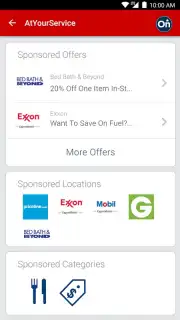
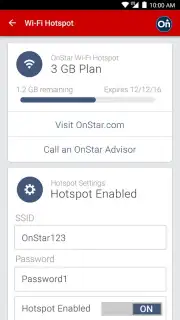
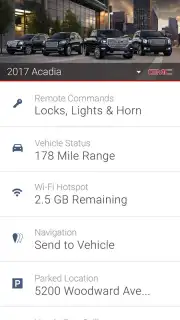
Description myGMC
A Comprehensive Digital Key: The myGMC App Transforms Your Smartphone into a Vehicle Command Center
The myGMC mobile application represents a significant shift from traditional vehicle ownership to a connected, digitally-integrated experience. This platform, developed by OnStar, LLC, functions not merely as a companion app but as a primary interface for your GMC vehicle, consolidating remote control, diagnostic monitoring, and owner resources into a single, streamlined dashboard on your Android device. Its utility extends the concept of vehicle access, providing tangible control and peace of mind whether you are steps away or miles from your truck or SUV. Available for Android 9 and above in North America, the UAE, Kuwait, and Bahrain, it is engineered specifically to enhance the modern GMC ownership cycle through direct digital integration.
Core Functionality and Remote Command Features
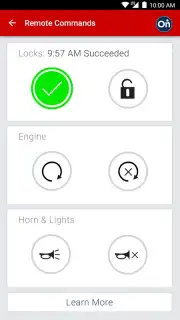
The principal utility of myGMC lies in its capacity to serve as a remote command module. With the requisite paid connectivity plan and compatible vehicle configuration, your smartphone effectively becomes a digital key fob with extended range. The remote lock and unlock functions provide a practical solution for securing your vehicle when you are unsure of its status, eliminating the need to physically return to the car. More impactful is the remote start system, which allows you to initiate the engine from within the application. This command is not a simple convenience; it is a functional tool for preconditioning the cabin temperature, warming the engine in cold climates, or cooling the interior during summer heat, all before you ever step outside. This feature executes a sequence that activates the climate control system based on your last settings, preparing the vehicle for immediate comfort upon entry.
Analytical Dashboard and Proactive Vehicle Health Monitoring
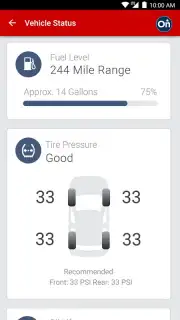
Beyond remote commands, the app establishes itself as a diagnostic hub. The vehicle status screen delivers a real-time, aggregated report on critical metrics, transforming raw data into actionable insights. You can monitor fuel level with precise percentage readouts, check engine oil life status, and review tire pressure readings for each individual tire. This continuous monitoring shifts maintenance from a reactive to a proactive model. The system doesn't just display information; it facilitates action. The app integrates service scheduling, allowing you to review maintenance milestones, book appointments directly with your preferred GMC dealer, and even receive notifications for upcoming service based on your vehicle's actual operating data, creating a seamless bridge between monitoring and maintenance logistics.
Integrated Safety, Navigation, and Driver Development Tools
The application's scope extends into safety, education, and journey planning. The Roadside Assistance function is integrated directly into the interface, providing a one-touch method to request help for flat tires, tows, or battery jumps, with your location and vehicle details automatically transmitted to service providers. For mastering your vehicle's technology, the app hosts a comprehensive digital library. This includes the full owner's manual, instructional videos, and feature guides that detail operations from basic Bluetooth pairing to the configuration of advanced driver-assistance systems. Journey planning is streamlined through the "Send-to-Navigation" feature, which lets you search for a destination on your phone and wirelessly transmit the route to your vehicle's built-in navigation system, ensuring you can depart without manual address entry. Furthermore, the GMC Smart Driver program offers a unique layer of feedback, analyzing driving patterns such as acceleration, braking, and speed to generate a driving score and personalized tips aimed at promoting safer, more efficient habits behind the wheel.
- Remote lock, unlock, and engine start
- Live fuel, oil, and tire pressure data
- One-touch roadside assistance dispatch
- Send destinations to in-car navigation
Download the myGMC app now and directly connect your smartphone to your vehicle's core systems. Transform your ownership experience today—get it immediately!
Heads up: you'll need wifi or mobile data for most features. Full remote commands and live diagnostics require an active paid vehicle subscription and compatible model. App availability and specific features vary by region and vehicle equipment.
Information
| Version | 7.4.1 |
| Developer | OnStar, LLC |
| Requirements | Android Android + 10+ |
| Updated | 17.03.2026 |
| Size | 62.28 MB |
| Package | com.gm.gmc.nomad.ownership |
| Signature | 046956b604d8c37dadd30f87c5252d89 |
| Architecture | arm64-v8a |


