

Navigation Gestures screenshots (5)
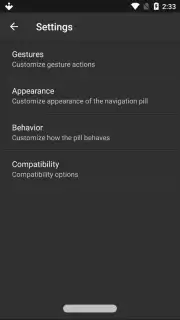
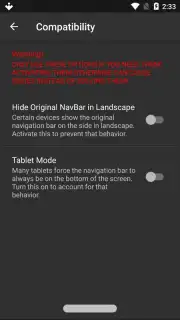
Description Navigation Gestures
A Practical Look at Navigation Gestures for Android
Many Android users find the standard navigation bar to be a persistent use of screen real estate, yet the prospect of enabling system-level gesture controls often requires complex modifications. Navigation Gestures by XDA presents a specific solution to this interface dilemma. It functions as an accessibility service-based overlay, providing a method to hide the default navigation bar and replace its functions with customizable swipe and tap actions, all without requiring root access to the device. This approach centers on user-configurable input zones along the screen's edges, transforming static software buttons into dynamic gesture areas.
Core Functionality and Customization Framework
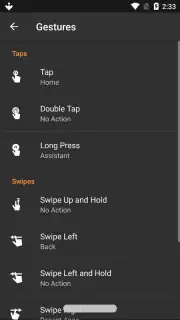
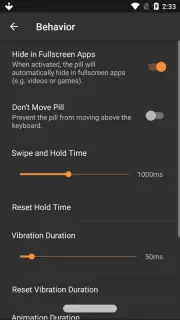
The application operates by activating a persistent, thin bar at the screen's bottom edge, which serves as the primary gesture handle. A single tap on this handle performs the "Back" action, while a tap-and-hold typically launches the Google Assistant or a user-defined application. The primary utility, however, lies in the extensive gesture mapping for directional swipes. Users can assign different actions to swipes upward, downward, left, or right from the handle, as well as implement double-tap and long-swipe commands. These actions can be configured to launch apps, toggle system settings like Wi-Fi or rotation lock, open the notification shade, or simulate hardware button presses.
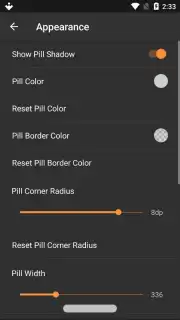
A notable operational detail involves the app's integration method. Since it uses an accessibility service to intercept inputs, proper deactivation is required before uninstallation. The correct procedure is to first disable the service within the app's settings or the device's accessibility menu, then proceed to uninstall the application. Skipping this step may leave residual overlay elements active until a device restart. The app offers a premium "Turbo" upgrade, which removes all advertisement placements from within the interface and unlocks additional advanced customization tiers for gesture sensitivity and animation effects.
Key Feature Overview
- Rootless navigation bar replacement
- Fully customizable swipe and tap gestures
- Quick-setting toggles and app shortcuts
- Ad-free experience with Turbo upgrade
For users seeking to modernize their device interaction beyond manufacturer defaults, Navigation Gestures provides a granular level of control. Consider downloading Navigation Gestures from the Google Play Store to reconfigure your device's navigation layer directly.
This application requires an active internet connection for initial configuration and potential advertisements. The optional Turbo upgrade is a one-time in-app purchase.
Information
| Version | 1.21.9 |
| Developer | XDA |
| Requirements | Android Android + 5.0+ |
| Updated | 17.03.2026 |
| Size | 4.07 MB |
| Package | com.xda.nobar |
| Signature | 97f43362b96d4177fdc5edb176ab01bc |


