


NeoArchive - File Manager screenshots (10)

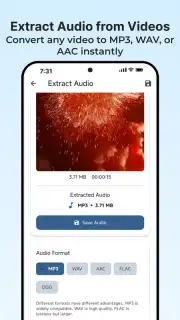
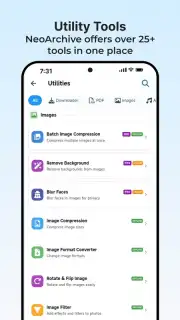

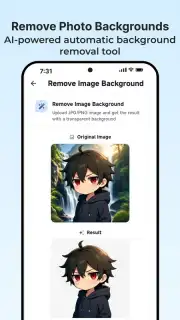
Description NeoArchive - File Manager
Your Phone’s Storage, Finally Under Your Control
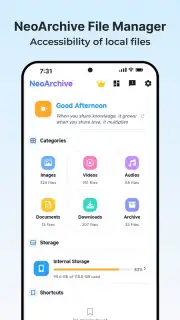
Tired of digging through endless folders, struggling with compressed files, or feeling like your phone’s storage is a chaotic black box? That feeling of frustration ends here. NeoArchive - File Manager transforms your device into a streamlined, powerful hub where every document, photo, archive, and download is instantly accessible and perfectly organized. This isn't just another file browser; it's the command center you've been missing for your digital life.
A Comprehensive Toolkit for Total File Mastery
NeoArchive puts a professional-grade file management suite directly in your hands. Navigate your device's internal storage and SD card with a clean, dual-pane interface that makes copying and moving files a simple drag-and-drop affair. The built-in archiver handles all major formats—ZIP, RAR, and 7Z—letting you compress large sets of files to save space or extract downloads with a single tap.
Beyond basic organization, the app includes a robust media player for previewing videos and music directly from the file list, a detailed storage analyzer that visually maps out what's consuming your space, and a secure file shredder for permanent deletion. Cloud storage integration means you can manage files from services like Google Drive or Dropbox alongside your local storage, creating a unified view of all your content. The integrated text editor and image viewer eliminate the need to constantly switch between apps for quick edits or previews.
Engineered for Speed and Simplicity
The true advantage of NeoArchive lies in its seamless blend of advanced capability and intuitive design. Performance is optimized for speed, ensuring large file operations happen without lag. The interface is customizable, allowing you to prioritize the tools you use most, while a powerful search function finds anything in seconds. It’s built to handle complexity so you don't have to, providing clarity and control over your digital environment.
- Complete Archive Support
- Dual-Pane File Navigation
- Cloud Storage Integration
- Storage Space Analyzer
We suggest trying NeoArchive - File Manager to experience a new level of order and efficiency on your device. Consider downloading it today and turn your phone into a perfectly organized digital workspace.
Requires an internet connection for cloud services and certain features. The app may contain optional in-app purchases.
Information
| Version | 1.3.5 |
| Developer | Tool4File |
| Requirements | Android Android + 7.0+ |
| Updated | 17.03.2026 |
| Size | 61.16 MB |
| Package | com.tool4file.neo_archive |
| Signature | 88a8e60860daec414c6eeb2975e7479d |
| Architecture | armeabi-v7a, arm64-v8a, x86_64 |


