


Network Signal Guru screenshots (11)
Description Network Signal Guru
Ever wondered why your video call freezes or your game lags, even with full bars? Network Signal Guru provides the technical diagnostics to move from guessing to knowing, offering a detailed analysis of your mobile connection that standard settings menus simply cannot match.
Core Analytical Features
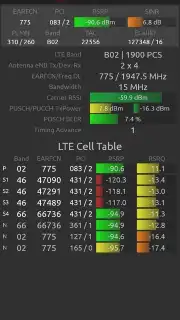
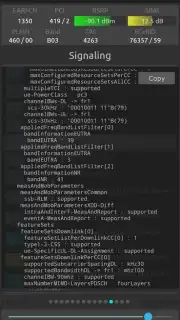
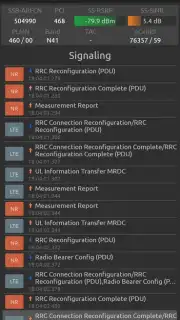
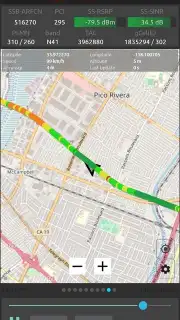
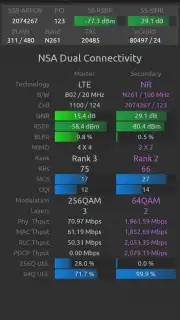
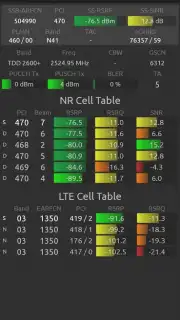
This application functions as a professional-grade network monitor, presenting real-time data across multiple layers of the cellular stack. It decodes complex signal information, translating metrics like RSRP and SINR into actionable insights. Users can observe handovers between cell towers, monitor bandwidth allocation, and log detailed connection histories to identify patterns of poor performance. The interface visualizes signal strength and quality over time on a graph, allowing for precise correlation between location and network stability. For advanced users, it supports logging raw protocol messages for deeper technical investigation.
Key Operational Advantages
The primary utility lies in its depth of information and diagnostic clarity, bypassing the oversimplified "bars" indicator used by most devices. The tool is particularly valuable for identifying weak coverage areas, troubleshooting intermittent dropouts, or verifying the performance of a specific mobile carrier's network. Its data-driven approach helps in making informed decisions, such as optimizing router placement for a mobile hotspot or providing evidence-based reports to a service provider. The application runs persistently in the background, compiling a comprehensive record of your network environment.
- Real-time signal strength and quality metrics with professional parameters like RSRP and RSRQ.
- Detailed cell tower information including location, frequency band, and serving cell ID.
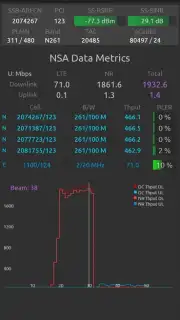
- Comprehensive data connection analysis tracking throughput, latency, and packet loss.
- Historical logging and export functionality for long-term network performance review.
- Support for multiple network technologies including 4G LTE and 5G NR where available.
We suggest trying Network Signal Guru if you require factual, granular insight into your mobile network's behavior.
Heads up: you'll need wifi for downloading the app and for some data-intensive logging features. Some advanced diagnostic modes may require additional permissions or a compatible device.
Information
| Version | 4.7.14 |
| Developer | QTRUN Technologies |
| Requirements | Android Android + 6.0+ |
| Updated | 17.03.2026 |
| Size | 30.71 MB |
| Package | com.qtrun.QuickTest |
| Signature | 77fe257378c6da1c6b8e19d8b6fede67 |
| Architecture | armeabi-v7a, arm64-v8a |


