

Notif screenshots (7)


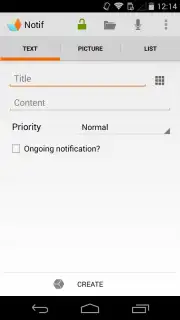
Description Notif
A Minimalist Notification Center That Actually Reduces Clutter
Most notification systems add to the digital noise, creating a persistent layer of distraction that demands management rather than providing utility. Notif approaches this universal Android pain point from a different angle. It functions not as another aggregator, but as a disciplined, unified command and alert panel that you actively configure to surface only what is operationally critical. The core mechanic is one of intentional reduction and smart routing, transforming your notification shade from a chaotic stream into a curated dashboard. This is achieved through a combination of deep system integration and a stark, user-defined rule set that prioritizes clarity over comprehensiveness.
Features and Core Mechanics
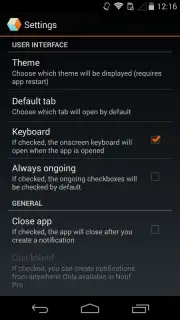
The application operates by establishing a parallel, highly customizable notification layer. Upon granting the necessary accessibility permissions, Notif begins intercepting alerts from all other installed applications. The user is then presented with a clean interface to create granular rules for each app or notification type. You can define specific keywords, senders, or phrases that trigger an alert within Notif's own panel, while silently dismissing or logging all others. The tool excels at conditional logic, allowing for "if-then" scenarios based on time of day, connected Wi-Fi network, or device status. Its logging feature provides a searchable history of all intercepted notifications, which is invaluable for auditing digital habits or retrieving a mistakenly silenced alert.
Key Advantages
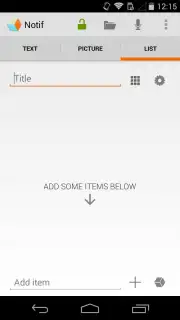
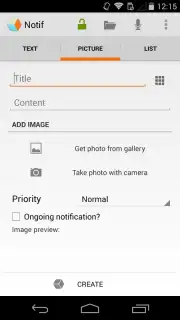
The primary strength of Notif is its uncompromising focus on user agency and system-level performance. Unlike many utility apps that layer on heavy skins or animations, Notif presents a near-stock Android interface that feels native and responds instantly. The visual design is purposefully sparse, putting the informational content of the notification itself at the forefront without decorative elements. This results in exceptionally low battery and memory overhead, allowing it to run persistently as a background service without impacting device longevity. The user experience is built around rapid rule creation and editing, making sophisticated filtering accessible without requiring technical expertise.
- Granular Rule-Based Filtering: Create precise conditions for which notifications are displayed based on content, app, or sender.
- Comprehensive Notification Logging: Maintain a full, searchable history of every alert, even those you choose to silence.
- Context-Aware Delivery Rules: Trigger or suppress alerts automatically based on time, location, or device activity.
- Minimalist, System-Native Interface: A clean, fast UI that integrates seamlessly with your Android environment.
- Extremely Low Resource Footprint: Designed for always-on operation with negligible impact on battery or performance.
We suggest trying Notif if your current notification management feels like a constant, losing battle. It provides the tools to build a system that works for your specific priorities.
Download Notif now to transform your notification panel from a source of stress into a tool of deliberate focus.
Disclaimer: This application requires a stable internet connection for certain backup and sync features. It requires accessibility service permissions to function correctly. The app may contain optional in-app purchases for advanced feature unlocks. Please be aware of your device's data usage policies. Not intended for children under a certain age due to system-level access. The developer is not responsible for missed notifications due to user-configured rules.
Information
| Version | 0.7.1 |
| Developer | Eric Carboni |
| Requirements | Android Android + 4.1, 4.1.1+ |
| Updated | 17.03.2026 |
| Size | 1.45 MB |
| Package | com.carboni.notif |
| Signature | db142b90a1aff6d7e24c99c28b7908e4 |


