

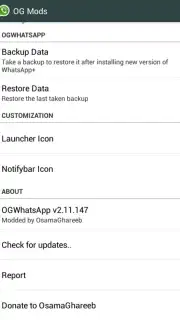
OGWhatsApp screenshots (3)

Description OGWhatsApp
Tired of Juggling Phones for Your WhatsApp Accounts?
Imagine carrying two phones just to keep your work life and personal chats separate. It’s bulky, inconvenient, and easy to mix things up. What if you could streamline everything into a single, powerful device? OGWhatsApp unlocks that exact freedom, letting you run two completely independent WhatsApp accounts on one Android smartphone. No more switching SIM cards, no more missed notifications, and no compromise on privacy. This is about simplifying your digital life with a clever, feature-packed modification.
Your All-in-One Messaging Command Center
OGWhatsApp transforms your device into a dual-zone messaging hub. It’s not just about having two numbers; it’s about gaining total control and enjoying an ad-free experience enhanced by Turbo performance. You get the full, familiar functionality of WhatsApp, but doubled. Manage a business line alongside personal conversations, keep a separate account for travel, or organize projects neatly—all from one screen. The app installs as a parallel version, working seamlessly alongside your official WhatsApp, so you never have to sacrifice your original account or chat history.
The setup is a straightforward process that gives you a powerful, customized messaging setup. Here’s how to get your dual accounts running smoothly:
-
First, secure your existing chats. Use WhatsApp’s built-in backup feature to Google Drive or a local backup. This ensures your precious message history is safe before you begin. You’ll then clear the app's data or perform a fresh install to create a clean slate for the new setup.
-
Next, rename the crucial folder. Using any reliable file manager on your Android device, you’ll navigate to your internal storage and rename the
/sdcard/WhatsAppdirectory to/sdcard/OGWhatsApp. This simple step allows the modified app to create its own separate space for data, preventing any conflict with your original app. -
Finally, verify your numbers in sequence. Open the newly installed OGWhatsApp and verify your primary phone number. Once that’s active, head to your official WhatsApp from the Play Store and verify your second, separate number. In minutes, you’ll have two fully functional, independent WhatsApp icons on your home screen, each with its own notifications and settings.
Stop compromising and start managing your communication on your own terms. Ditch the extra hardware and embrace the smart, efficient way to handle multiple identities.
Download OGWhatsApp now and activate your second number today!
Heads up: A stable internet connection is required for messaging and backups. This is a modified application, not available on the Google Play Store, and is used alongside the official WhatsApp client. Some advanced features may require additional configuration.
Information
| Version | 2.11.432 |
| Developer | OGmods |
| Requirements | Android Android + 2.1.x+ |
| Updated | 17.03.2026 |
| Size | 10.74 MB |
| Package | com.ogwhatsapp |
| Signature | cd91a5a79be6e342f777e443310879cb |
| Architecture | armeabi-v7a |


