


Onkyo Remote screenshots (6)
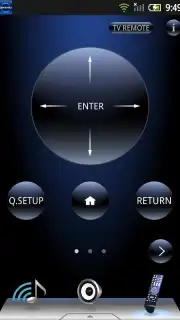
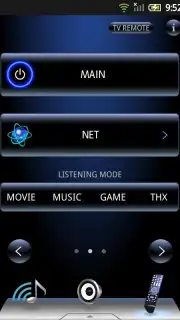
Description Onkyo Remote
Struggling with Cluttered Coffee Tables and Lost IR Remotes?
The universal challenge of managing a dedicated home audio system often involves a dedicated remote—a device that is easily misplaced, limited by line-of-sight, and functionally basic. For owners of Onkyo network-capable receivers, this physical limitation becomes an unnecessary bottleneck to accessing a sophisticated audio ecosystem. The Onkyo Remote app presents a direct solution, transforming your Android smartphone into a networked command center that bypasses these archaic restrictions, offering control that is both more comprehensive and conveniently located in your pocket.
A Deep Dive into Networked Audio Control
This application establishes a persistent wireless connection with compatible Onkyo A/V receivers, primarily models released between 2010 and 2013. It operates via Onkyo's Remote Interactive (RI) system over your local Wi-Fi network, eliminating the need for infrared line-of-sight and allowing control from any room within the network's range. The interface replicates and expands upon the functions of a physical remote, but with the added clarity and flexibility of a touchscreen. Users can perform fundamental commands like system power on/off, playback control (play, pause, stop, skip), and precise volume adjustment with absolute granularity, directly from their device.
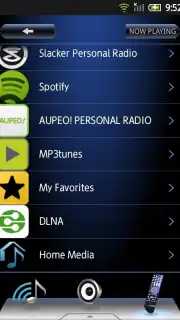
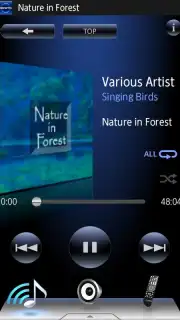
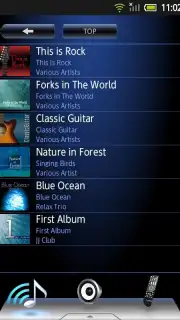
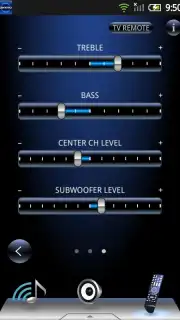
The app's utility extends far beyond basic transport controls. It provides deep access to source selection, allowing you to switch between network audio streams, internet radio presets, and connected local media servers. Advanced audio tuning is handled through an intuitive on-screen panel for adjusting bass, treble, and selecting specialized listening modes (e.g., Direct, Pure Audio, Game) to tailor the sound profile to your content. A significant feature is the integration with Spotify Connect, which lets you browse and command the Spotify library directly through the receiver, using your phone as a remote interface for a vast streaming catalog. The display consistently shows real-time playback information—track title, artist, album, and source—turning your phone into a system status monitor.
It is critical to verify hardware compatibility before use. The app is designed for smartphones and does not support tablet screen resolutions or devices with QVGA/HVGA displays. For optimal performance, ensuring your compatible Onkyo receiver has the latest firmware, available from the official Onkyo website, is strongly recommended. This step is crucial for stable connectivity and access to all advertised features, creating a seamless bridge between your mobile device and your home audio investment.
- Complete Wireless System Command: Control power, volume, playback, and source selection over Wi-Fi from anywhere in your home.
- Advanced Audio Calibration Tools: Adjust tone controls (bass/treble) and cycle through receiver-specific listening modes with on-screen precision.
- Integrated Streaming & Media Control: Navigate internet radio, local network audio, and control Spotify Connect directly through a unified interface.
This level of integrated, cable-free control was previously reserved for high-end custom installations. For a limited time, experience the convenience of a professional-grade control system at no extra cost. Exclusive access to this streamlined management tool is available today for compatible system owners.
Download the Onkyo Remote mobile app now and permanently retire your old remote.
Internet required. IAP available.
Information
| Version | 1.81.150724.326 |
| Developer | Onkyo Corporation |
| Updated | 17.03.2026 |
| Size | 3.22 MB |
| Package | com.onkyo.onkyoRemote |
| Signature | 3bc032c664d3338ef35c8aca4735149c |
| Architecture | armeabi |


