


ONLYOFFICE Documents screenshots (5)
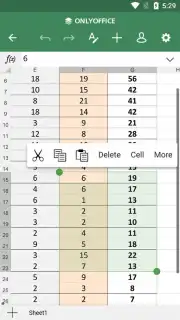
Description ONLYOFFICE Documents
Imagine needing to edit a crucial spreadsheet on your commute, or polishing a presentation draft from your tablet on the couch. You reach for your Android device, but the usual office apps feel limited, clunky, or buried in subscriptions. That’s the gap ONLYOFFICE Documents fills, transforming your mobile device into a powerful, portable office that doesn’t compromise on capability or control. This isn’t just a viewer; it’s a full-fledged creation and collaboration suite designed for the way you work today.
A Truly Comprehensive Office in Your Pocket
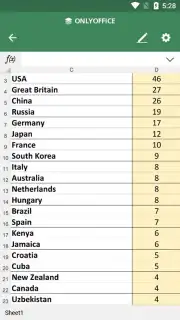
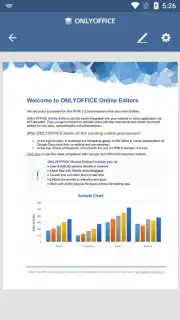
ONLYOFFICE Documents provides a seamless experience for handling every major office file type directly on your Android. You can draft detailed text documents, build complex spreadsheets with formulas, and design compelling presentations, all within a clean, intuitive interface. The application stands out with its exceptional format support, ensuring you never face the frustration of an unopenable file. It natively works with modern formats like DOCX, XLSX, and PPTX, while also maintaining full compatibility with legacy files (DOC, XLS, PPT) and open-source standards (ODT, ODS, ODP). This level of compatibility means you can confidently exchange files with colleagues, regardless of their preferred software.
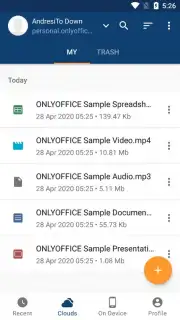
Getting started is designed for maximum convenience. You can create a dedicated account in seconds or use your existing Facebook or Google credentials for instant access. Once logged in, you’re ready to create a new project from scratch or open and edit any file stored locally on your device. Every edit you make is automatically saved to the cloud, safeguarding your work against accidental loss. To streamline your workflow further, you can directly connect and synchronize your account with popular cloud storage services like Google Drive, Dropbox, Box, or Nextcloud. This creates a central hub for all your documents, accessible and editable from anywhere.
Real-Time Collaboration Without the Headaches
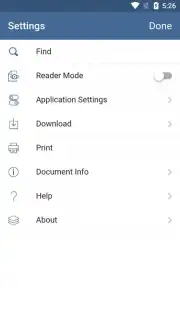
One of the most powerful features transforms document editing from a solitary task into a dynamic team effort. When working with files stored in a connected cloud, ONLYOFFICE Documents enables real-time co-editing. Multiple team members can work on the same document, spreadsheet, or presentation simultaneously. You will see changes made by others appear live on your screen, complete with colored cursors and annotations, eliminating version confusion and endless email chains. Once the collaborative editing is complete, the final file can be saved to the cloud, exported in your chosen format, or downloaded as a local copy for offline access.
The application presents itself as a sophisticated and fully-featured alternative to other mobile office solutions from Microsoft, Google, or WPS. It combines robust functionality with a refined, user-friendly design, offering a professional-grade toolset without unnecessary complexity. The experience is tailored for efficiency, allowing you to focus on your content rather than fighting with the software.
Key advantages that define the experience include:
- Full-featured document, spreadsheet, and presentation editors
- Extensive compatibility with all major file formats
- Real-time collaborative editing for teams
- Deep integration with leading cloud storage services
For anyone seeking a powerful, reliable, and integrated office suite for Android that excels at both individual productivity and team collaboration, ONLYOFFICE Documents is a compelling choice. Consider downloading it to replace fragmented tools with a unified, professional workspace on your mobile device.
Download the ONLYOFFICE Documents mobile app now to experience comprehensive office productivity.
The application requires an internet connection for account creation, cloud synchronization, and real-time collaboration features. Some advanced functionalities or integrations may be part of in-app purchase options.
Information
| Version | 9.3.1 |
| Developer | Ascensio System SIA |
| Requirements | Android Android + 8.0+ |
| Updated | 17.03.2026 |
| Size | 156.34 MB |
| Package | com.onlyoffice.documents |
| Signature | af1137040e61fc102d6d6687c6c5dec1 |
| Architecture | armeabi-v7a, arm64-v8a |


