


Opera beta screenshots (5)
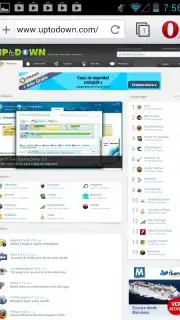

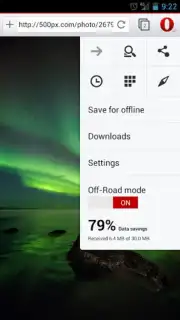
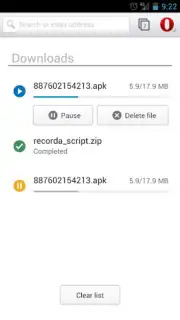
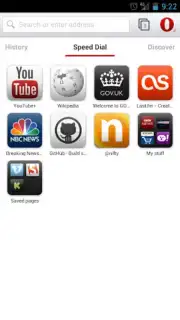
Description Opera beta
Opera Beta Review: A Technical Analysis of a Streamlined Mobile Browser
Opera Beta presents itself not as a mere browser, but as a systematic solution for constrained mobile data environments and users seeking a frictionless, ad-free browsing layer. This analysis examines its core proposition: leveraging proprietary server-side compression to fundamentally alter the data consumption and page load equation on Android devices. The focus is on measurable utility—data savings, interface efficiency, and synchronization—rather than subjective experience. For professionals, students, or anyone operating under limited data plans, the mechanics here warrant close inspection.
The primary operational feature is the integrated Turbo mode, which routes web traffic through Opera's optimization servers. This process compresses images and scripts before they reach your device, resulting in significantly reduced data usage—a critical function when on cellular networks—and consequentially faster page rendering. The interface is a study in functional minimalism, built around touch gestures like pinch-to-zoom and swipe shortcuts that reduce reliance on small navigation buttons. Furthermore, the Opera Link synchronization service creates a continuous workflow by securely mirroring bookmarks, speed dial entries, and settings between your desktop and mobile instances, eliminating manual transfer. The application also incorporates direct, streamlined access points for major social platforms and includes a capable download manager for local file storage.
Core Feature Breakdown
- Turbo Mode Compression: Drastically reduces data consumption and accelerates page loads on cellular networks.
- Ad-Free Browsing Experience: Eliminates intrusive advertisements by default for uninterrupted reading.
- Cross-Device Synchronization: Seamlessly syncs bookmarks and settings via Opera Link between PC and mobile.
- Touch-Optimized Gesture Control: Navigate using intuitive pinch, swipe, and hold shortcuts for efficiency.
- Integrated Social & Download Manager: Direct access to social media and robust tools for saving files locally.
This version represents a focused iteration for users who prioritize performance and control. The combination of data management and synchronization addresses two of the most persistent pain points in mobile browsing. For a limited time, Opera is offering exclusive early access to new beta features for first-time installers. Download the Opera Beta mobile app now to configure a more efficient, ad-free browsing environment on your Android device.
Disclaimer: This application requires an active internet connection. Data savings via Turbo mode may vary by website and network conditions. The app may contain in-app purchases for additional services. Use of the synchronization feature requires an Opera account. Data usage, including traffic routed through optimization servers, is subject to Opera's privacy policy. This software is intended for general audiences.
Information
| Version | 99.0.5094.88551 |
| Developer | Opera |
| Requirements | Android Android 10+ |
| Updated | 15.09.2026 |
| Size | 138.05 MB |
| Package | com.opera.browser.beta |
| Signature | ebe9f902c7e1fb068d7ea40dc4f2d83a6ffca41e |
| Architecture | arm64-v8a, armeabi-v7a |


