

Orbitum screenshots (5)



Description Orbitum
Navigating the Web Without Interruption
The modern mobile browsing experience is often defined by intrusive advertisements that slow down page loads, consume data, and disrupt content consumption. Finding a browser that effectively addresses these core performance and usability issues, while maintaining a familiar interface, is a common user challenge.
Core Functional Analysis
Orbitum Browser for Android is engineered to function as a lightweight, ad-blocking web client. Its primary operational mechanic is the integrated filtering of advertising elements across websites, which aims to directly increase page load speeds and reduce data transmission volume. The application's architecture and user interface draw significant design inspiration from widely-used browsers, creating a low-barrier entry point for users seeking an alternative with enhanced control over web content.
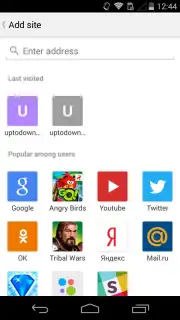
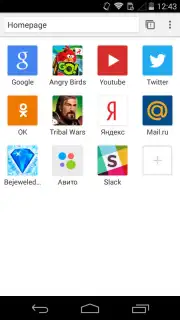
The browser implements a data compression protocol, often labeled as a Turbo mode, which works in tandem with its ad-blocking core to minimize bandwidth usage. This is particularly functional for browsing on limited data plans or slower network connections. For navigation, the app provides a voice search input system, allowing queries and URL access without manual text entry, alongside a visual bookmarking and speed-dial system for one-tap access to frequently visited sites.
- Integrated Ad and Tracker Blocking: Actively filters banners, pop-ups, and video ads across sites to streamline content.
- Data Compression Turbo Mode: Reduces cellular data consumption by optimizing page elements during loading.
- Voice-Activated Search and Navigation: Enables hands-free query input and direct website access through vocal commands.
Usability and Performance Specifications
In practical testing, the browser’s page rendering speed is notably efficient, attributable directly to the pre-load blocking of external advertising scripts and media. The UI presents a clean, minimalist layout with a combined search and address bar, tab management, and a customizable start page for shortcuts. The synergy between its ad-blocking function and the data-saving mode provides a tangible reduction in page load times and data metrics when compared to browsers without such subsystems. Its operational logic and control placement will feel immediately familiar to users of mainstream browser applications, requiring no significant re-learning for basic or advanced web navigation tasks.
Get a faster, cleaner web experience. Download Orbitum Browser now and start browsing without interruption.
Disclaimer: This application requires an internet connection. It may contain optional in-app purchases. Data saving features and ad-blocking effectiveness may vary by website and network conditions. Please review the app's data privacy policy for information on collected usage data.
Information
| Version | 4.33 |
| Developer | Orbitum |
| Requirements | Android Android + 7.0+ |
| Updated | 17.03.2026 |
| Size | 12.6 MB |
| Package | com.orbitum.browser |
| Signature | 5511016ab6178b2999c9a9732e12f4cd |
| Architecture | armeabi-v7a, x86, arm64-v8a, x86_64 |


