


Partial Screen screenshots (11)
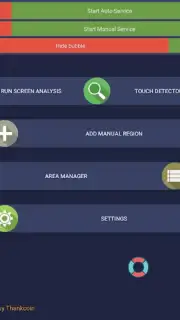
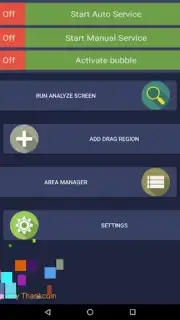
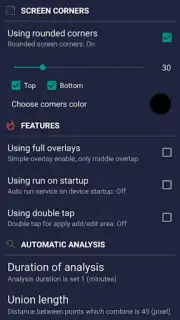
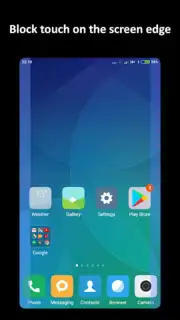
Description Partial Screen
Ever wished you could focus on just one part of your screen, or share only a specific section without revealing everything else? What if you could turn any area into a dedicated, resizable window for multitasking or privacy?
Partial Screen is your ultimate utility for dynamic screen control. This powerful tool lets you select and isolate any rectangular portion of your Android display, creating a floating, always-on-top window. This partial screen can be moved, resized with pinch-to-zoom gestures, and kept visible over other apps, browsers, or videos. It’s perfect for keeping a chat window, a live sports score, a navigation map, or a critical piece of information permanently in view while you use other applications. The app provides intuitive touch controls for quick selection and offers adjustable opacity settings for the dimmed background area, ensuring your focused content stands out clearly without distractions.
Core Functionality & Tools
The app transforms how you interact with your device by providing granular screen management. You activate the overlay with a simple tap or via a persistent notification toggle, then drag to select the exact screen region you need. The captured area becomes a live, interactive window that functions independently. This means you can watch a tutorial in the partial screen while following the steps in your main app, or monitor a security camera feed while browsing the web. The floating window supports basic interactivity, allowing you to scroll or tap within the isolated section when possible.
Key Advantages & User Experience
Partial Screen is built for efficiency and a seamless user experience. It operates with minimal battery and performance impact, ensuring smooth operation even on devices running Android 4.2 and above. The interface is clean and highly responsive, prioritizing function over clutter. You get precise visual control with the ability to fine-tune the border thickness and the darkness of the excluded screen area, creating a custom viewing portal that suits any task or lighting condition.
- Create a Custom Floating Window from any part of your phone or tablet's display in seconds.
- Resize and Reposition the live preview window freely with intuitive multi-touch gestures.
- Maintain Window Visibility over all other apps, games, and full-screen videos for true multitasking.
- Adjust Background Opacity to dim the rest of the screen and focus attention on your selected area.
- Lightweight and Efficient design ensures reliable performance without draining your battery.
Don't miss your chance to revolutionize your Android multitasking—exclusive early access is available for the first users to download today!
Download Partial Screen now and unlock a new dimension of productivity!
Internet required. IAP available.
Information
| Version | 1.18.0 |
| Developer | Andrii Ichenets |
| Requirements | Android Android + 4.2, 4.2.2+ |
| Updated | 17.03.2026 |
| Size | 2.97 MB |
| Package | ich.andre.partialscreen |
| Signature | 3f638e211d533c5ed25c093d0b15a8bf |
| Architecture | universal |


