


Password Manager screenshots (7)
Description Password Manager
Imagine your most sensitive work documents, client data, and financial logins scattered across sticky notes, spreadsheets, and memory. This app centralizes and secures them all behind one master key.
Core Functionality & Security Architecture
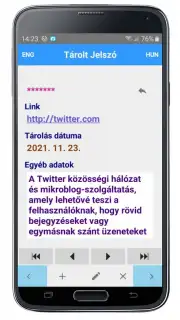
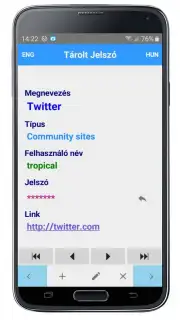
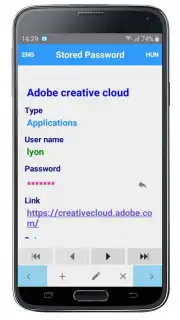
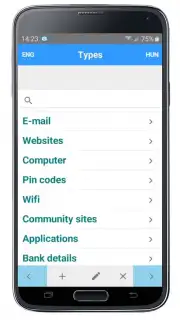
This application operates as a secure digital vault for professional credentials and sensitive information. It utilizes a zero-knowledge architecture, meaning all encryption and decryption processes occur locally on your device. Your master password is never transmitted or stored on external servers, ensuring that only you possess the keys to your data. The vault supports the storage of various entry types, including website logins, secure notes, identity profiles, and payment card information, each with customizable fields and attachments.
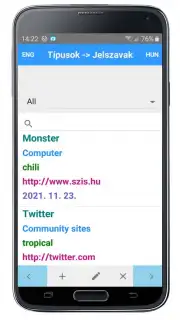
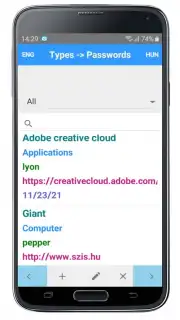
The primary interface is built around an organized vault that can be sorted, filtered, and searched instantly. A built-in password generator allows for the creation of strong, unique passwords of specified length and character type, which can be automatically saved to new or existing entries. For streamlined access, the application integrates with Android's autofill framework to securely input credentials directly into other apps and websites without switching contexts.
Operational Advantages & Management Tools
- Cross-Platform Synchronization: Access your encrypted vault seamlessly across multiple devices, with changes updated in real-time when connected to your secure cloud account.
- Secure Data Sharing: Safely share specific vault entries with team members or colleagues without ever revealing the actual password through encrypted, permission-based sharing.
- Breach Monitoring & Health Audits: Proactively scan your stored credentials against databases of known security breaches and generate reports on password strength and reuse.
We suggest trying Password Manager to eliminate password fatigue and establish a robust security protocol for your business assets.
Heads up: you'll need wifi for initial setup and synchronization. Some advanced features like priority support or expanded storage are extra. Requires Android 6.0 or later.
Information
| Version | 1.9 |
| Developer | Szűcs Zoltán |
| Requirements | Android Android + 6.0+ |
| Updated | 17.03.2026 |
| Size | 14.19 MB |
| Package | com.szis.jelszok |
| Signature | ecfb3f958f56b2f2a283fe4ee8eecb81 |
| Architecture | armeabi, armeabi-v7a, mips |


