


PDF Reader Pro screenshots (10)
Description PDF Reader Pro
A Document Workflow, Unlocked
Imagine needing to annotate a contract during your commute, scan a textbook page directly into a searchable PDF for study, or quickly convert a series of images into a single, polished document for a client. For years, this required a desktop computer and specialized software. PDF Reader Pro by PDF Technologies, Inc. collapses that entire workflow into your smartphone, transforming it from a simple viewer into a mobile document command center. This application moves beyond passive reading, offering a comprehensive suite for creation, editing, organization, and conversion that challenges the capabilities of many desktop solutions.
Core Functionality: Beyond Viewing
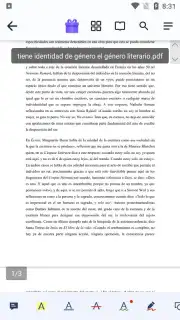
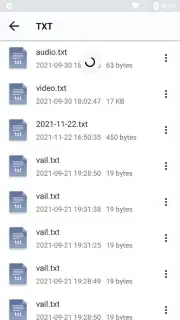
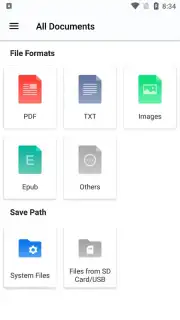
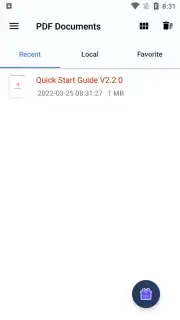
The application establishes itself as a primary hub for all document interactions. Its native file explorer performs deep scans of your device's storage, instantly locating any PDF or supported file type. This is augmented by a robust folder management system, allowing for the creation of custom, thematic directories—separating work contracts, academic papers, and personal files—which turns a chaotic document library into an organized, instantly accessible archive. The foundational act of opening a PDF is just the entry point to a layered editing environment.
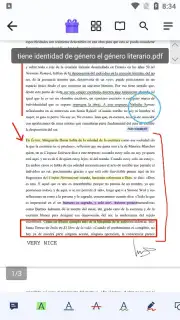
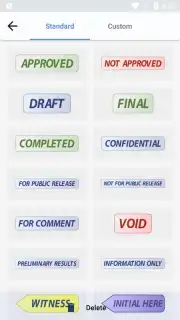
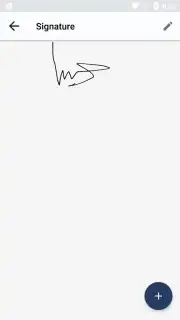
The annotation toolkit is notably granular. Text can be highlighted in multiple colors, struck through, or underlined. Freehand drawing tools allow for precise sketches or casual scribbles directly onto the page. The application supports the insertion of external images, hyperlinks, and a unique feature: voice note attachments. These audio annotations can be pinned to specific sections of a document, ideal for adding verbal commentary to a report or recording lecture notes alongside slides. For formal documents, the signature tool is fully self-contained; you can draw your signature directly with your finger or stylus, saving it for repeated use without ever needing to print or scan.
Advanced Processing and Conversion
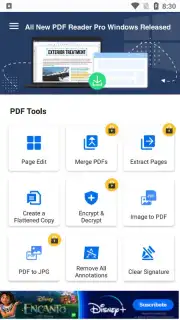
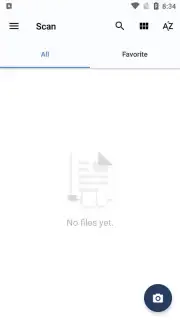
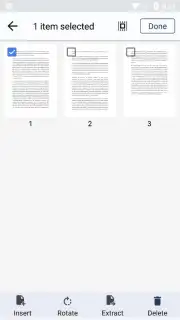
Where PDF Reader Pro truly differentiates itself is in its active document processing capabilities. The built-in scanner utilizes your device's camera to capture physical documents, books, or whiteboards. It automatically applies perspective correction, enhances contrast, and outputs a clean, digital PDF. This scanned document can then be put through an OCR (Optical Character Recognition) process, converting the static image into selectable and searchable text, a critical function for data extraction. Conversion is a central pillar: the app can transform a wide array of file formats into PDFs, and conversely, turn PDF pages into standard image files like JPG with a single tap. Furthermore, it provides direct control over PDF structure, enabling users to reorder, delete, or merge entire pages from different documents, effectively allowing for basic desktop publishing from a mobile device.
- Comprehensive Annotation Suite: Edit text, draw, add images, voice notes, links, and digital signatures directly onto any PDF.
- Multi-Format Document Scanner: Use your camera to scan physical pages into searchable, editable PDFs with automatic OCR text recognition.
- Advanced File Management & Conversion: Organize files in custom folders and instantly convert between PDF, JPG, and other common formats.
This is not merely a reader; it is a professional-grade document toolkit engineered for the mobile-first user. For students digitizing study materials, professionals handling contracts on the go, or anyone needing to manage a personal document library, it eliminates friction at every step.
Download PDF Reader Pro now! Transform your smartphone into a complete document workstation today—do not wait to streamline your digital paperwork.
Disclaimer: This application requires an internet connection for certain advanced features, including cloud synchronization and OCR processing. It may contain optional in-app purchases (IAP) to unlock premium functionality or remove limitations. Data usage varies based on feature engagement and document syncing. Please review the app's listing for specific age ratings and permissions regarding device storage and camera access.
Information
| Version | google_3.0.1 |
| Developer | PDF Technologies, Inc. |
| Requirements | Android Android + 5.0+ |
| Updated | 17.03.2026 |
| Size | 68.19 MB |
| Package | com.pdftechnologies.pdfreaderpro |
| Signature | 366caa394973aa03526fb2a5137882b4 |
| Architecture | armeabi-v7a, arm64-v8a |


