

PDF to Word Converter screenshots (4)
Description PDF to Word Converter
Need to edit a PDF but only have a static file?
This utility provides a direct method for converting PDF documents into fully editable Microsoft Word files. It functions as a document processing tool, enabling users to extract and modify text, tables, and formatting from PDFs without requiring desktop software. The core operation involves file import, automated format analysis, and the generation of a new .doc or .docx file, effectively removing the primary barrier to editing locked PDF content.
Core Conversion Mechanics and Document Handling
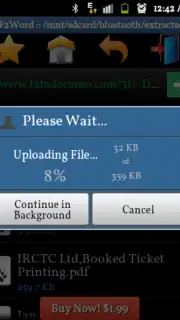
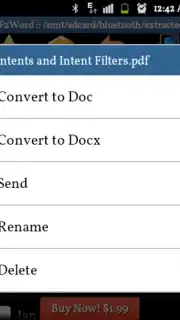
The application centers on a streamlined conversion engine. Users select a PDF from device storage or a cloud service, and the processor deconstructs the document's layout. It identifies text blocks, font styles, and basic table structures to replicate them in the output Word document. The process maintains alignment and paragraph breaks where possible, aiming for a clean, editable result rather than a perfect pixel-for-pixel replica. For handling multiple documents, a batch processing mode allows the queueing of several files for sequential conversion, saving time on repetitive tasks. Post-conversion, the app typically offers integrated sharing options to send the new Word file directly to email, cloud storage, or other editing applications on the device.
Operational Advantages and User Workflow
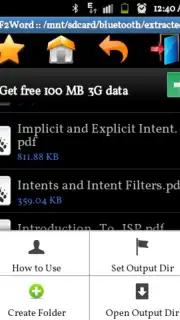
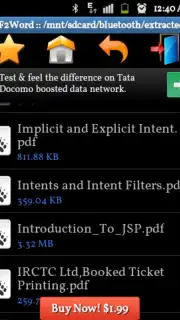
The primary advantage is the elimination of manual retyping or complex workarounds for PDF editing. The tool is designed for efficiency on mobile, with a focus on minimizing the steps between file selection and receiving an editable output. Performance is tied to processing speed and the accuracy of format retention, particularly with complex layouts containing columns or images. The interface is typically utilitarian, presenting clear options for file selection, conversion initiation, and access to the output folder. Its utility is most apparent for business documents, forms, contracts, or reports where text content needs to be updated or repurposed quickly.
- One-tap PDF to Word conversion
- Batch process multiple files
- Preserves original text formatting
- Direct share to editing apps
Download the mobile app now for exclusive, unlimited conversions today only for new users. Internet required. IAP available.
Information
| Version | 2.4.9 |
| Developer | Awesome Android |
| Requirements | Android Android + 2.3.3, 2.3.4+ |
| Updated | 17.03.2026 |
| Size | 2.53 MB |
| Package | fts.pdf2word.demo |
| Signature | e6d13ff7cf7d3d18006a07c82021024e |
| Architecture | universal |


