


PDFelement - PDF Reader and Annotator screenshots (16)




Description PDFelement - PDF Reader and Annotator
Imagine opening your phone to find that important contract, research paper, or travel itinerary, only to be met with a static, uncooperative PDF. You need to read it, sign it, highlight a key section, or send it off—right now. PDFelement transforms that frustration into fluid action. It’s not just a viewer; it’s a complete, on-the-go PDF office that automatically finds your documents and gives you the professional tools to make them work for you.
Core Functionality & User Experience
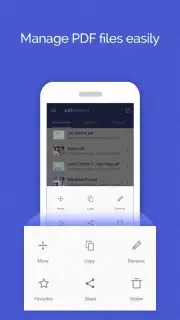
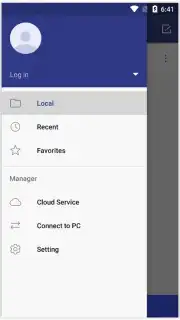
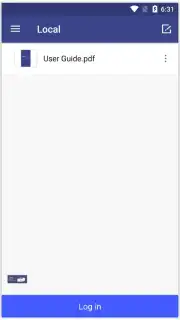
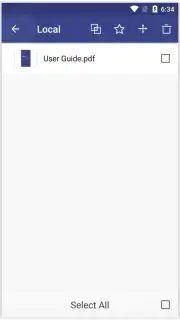
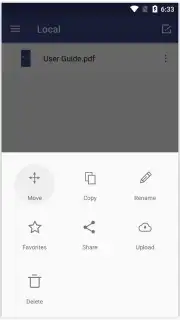
Upon launch, PDFelement intelligently scans your device for compatible files, presenting them on a clean, organized home screen. This immediate access eliminates tedious searching. Here, you can manage your documents with core file operations: rename for clarity, bookmark favorites for one-tap access later, and keep everything securely unified in one place. The application is designed for productivity first, offering an ad-free experience that ensures uninterrupted focus on your work.
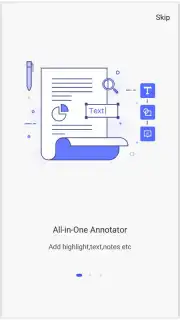
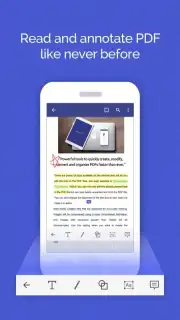
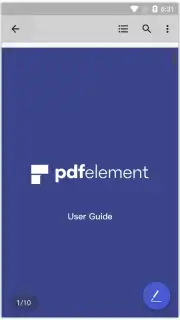
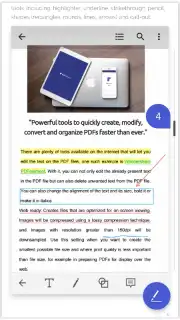
The true power unlocks when you open a PDF. You gain a full suite of interactive annotation tools. Add detailed notes, underline critical sentences, and highlight key passages with a simple touch. For new users, intuitive in-app guides walk you through each tool's function, removing any learning curve and letting you work confidently immediately. Beyond basic markup, PDFelement provides robust editing capabilities that rival desktop applications, allowing for genuine document modification directly from your mobile device.
Seamless Integration & Advanced Features
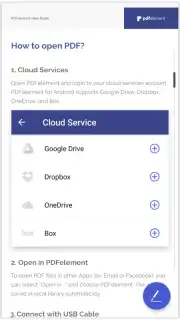
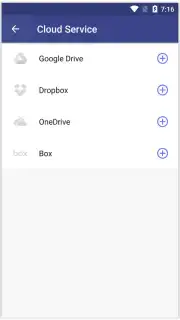
Your workflow is protected and extended through deep cloud integration. PDFelement connects directly with Google Drive, Dropbox, OneDrive, and Box. This allows for effortless saving of annotated files back to the cloud, safe backup of your work, and easy recovery of previous versions—ensuring no document is ever truly lost. It bridges the gap between mobile convenience and the powerful functionality expected from solutions like Acrobat DC, all packaged in a streamlined mobile interface.
- Automatically detects and lists all PDF files stored locally on your device for instant access.
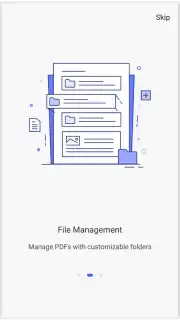
- Perform essential file management: rename documents, flag favorites, and organize them in a central hub.
- Annotate with precision using a full set of tools for adding notes, underlining text, and highlighting areas.
- Access step-by-step, in-app tutorials that guide you through the use of every feature and tool.
- Sync and save files seamlessly across major cloud services including Google Drive, Dropbox, and OneDrive.
Stop wrestling with static documents. Transform your phone into a powerful PDF editing suite and handle any document task with professional ease.
Download PDFelement - PDF Reader and Annotator now and claim your mobile productivity advantage!
Disclaimer: This application requires an internet connection for initial cloud service authentication and syncing. Some advanced features may require in-app purchases or a subscription. The app is intended for general use; please check specific age ratings in your local app store. Data usage may apply when syncing large documents over cellular networks. Wondershare Technology is the developer of this product.
Information
| Version | 6.0.15 |
| Developer | Wondershare Technology |
| Requirements | Android Android + 7.0+ |
| Updated | 17.03.2026 |
| Size | 102.89 MB |
| Package | com.wondershare.pdfelement |
| Signature | 056a91b8c46a0ced42521e70e042b791 |
| Architecture | armeabi-v7a, arm64-v8a |


