

Peggo - YouTube to MP3 Converter screenshots (8)
Description Peggo - YouTube to MP3 Converter
Looking for a direct way to turn your favorite YouTube videos and SoundCloud tracks into portable MP3 files? Peggo - YouTube to MP3 Converter provides a streamlined, one-tap solution to record audio from these massive platforms directly to your Android device's storage.
Core Functionality and User Workflow
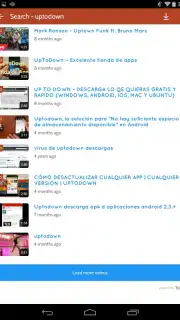
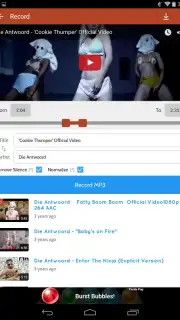
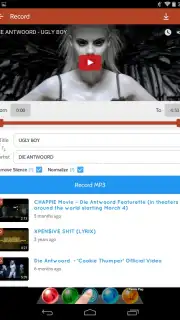
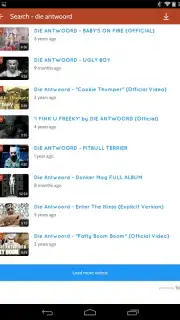
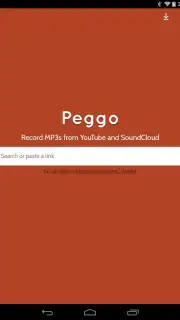
The process is intentionally straightforward. From the app's main menu, you simply enter the name of the song or video you wish to capture. Peggo then displays a list of matching results from YouTube. Selecting your desired result takes you to a dedicated recording screen that mirrors a familiar YouTube-style interface. Here, a single tap on the 'Record MP3' button initiates the download of the entire track. For more precise control, you can adjust the start and end points using an on-screen slider. This allows you to capture specific segments, such as a perfect 30-second chorus for a custom phone ringtone, without needing to download the full file.
Library Management and Playback
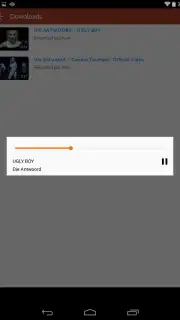
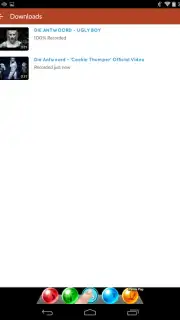
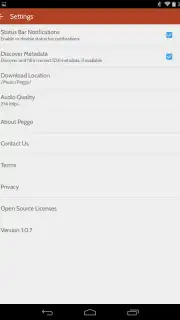
All your successfully recorded audio files are neatly organized within the app's 'Downloads' tab, which can be further customized through the application's settings. It's important to note that Peggo functions specifically as a high-quality recorder and converter; it does not include a built-in music player. To listen to your new MP3 collection, you will need to use a dedicated third-party media player app like Google Play Music or n7Player, which then gives you full control over playlists and audio enhancements.
Key Advantages and Turbo Mode
The primary advantage of Peggo is its instant access to the vast, ever-growing music libraries of YouTube and SoundCloud, converting them into a permanent, offline-friendly audio format. The app's design prioritizes efficiency and clarity, removing unnecessary complexity from the conversion process. An optional Turbo mode is available, which enhances the experience by removing advertisements and potentially providing additional performance benefits for frequent users.
- Record from YouTube & SoundCloud
- Trim audio with start/end sliders
- Organized downloads folder
We suggest trying Peggo to effortlessly build a personalized, offline music library from the world's largest video and audio platforms. Consider downloading it today to start converting.
A functional internet connection is required for searching and recording. This app may offer in-app purchases for additional features.
Information
| Version | 2.0.8 |
| Developer | Peggo |
| Requirements | Android Android + 4.1, 4.1.1+ |
| Updated | 17.03.2026 |
| Size | 8.68 MB |
| Package | co.peggo |
| Signature | 9c4cb71c036ac4e8470194c15c4c4c5b |


