

Photopea screenshots (6)


Description Photopea
Your Pocket Photoshop: No Subscription, No Limits
Imagine needing to tweak a photo, design a social post, or edit a project file on the go, but your premium desktop software is miles away. That creative roadblock ends now. This mobile app brings the power of a full-fledged, professional-grade image editor directly to your smartphone. You get a familiar, robust toolkit without the monthly fees or the need for a powerful computer, turning any moment of inspiration into a finished piece.
Edit Anything, Anywhere with Pro Tools
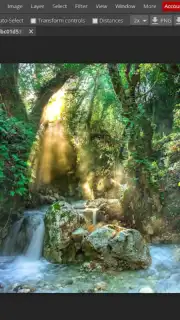
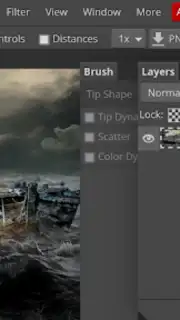
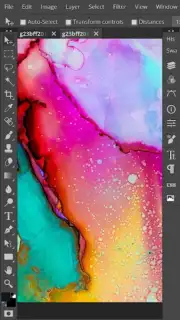
Access a comprehensive suite of editing features designed for both quick fixes and intricate creations. The interface provides layers, masks, and advanced selection tools that function seamlessly on a touchscreen, giving you precise control. You can work with a wide array of file formats, including native PSD files from Adobe Photoshop, making it a truly versatile companion for students, designers, and hobbyists who need compatibility.
The experience is built for mobile efficiency without sacrificing capability. You can perform complex edits like object removal, color correction, and detailed retouching with intuitive gestures. Whether you're preparing images for a presentation, creating graphics for a personal project, or simply perfecting a photo before sharing, the tools adapt to your workflow.
Why This Editor Belongs on Your Phone
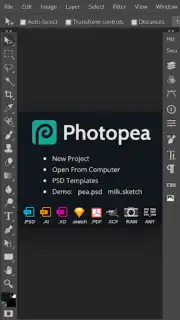
- Open PSD & AI Files Directly: Edit layered Photoshop and Illustrator documents on your device, preserving all elements for mobile workflow.
- Advanced Layer-Based Editing: Utilize non-destructive editing with layers, blending modes, and smart filters for professional results.
- Zero-Cost Professional Toolset: Access a complete array of pro features like curves, cloning, and text tools completely free of charge.
This is more than a simple filter app; it's a portable creative studio. The ability to handle complex graphic files and provide deep editing control positions it as a unique tool in the mobile space, empowering you to execute serious work from anywhere.
Download Photopea now and unlock professional editing today—exclusive access to this powerful mobile port is expanding rapidly. Transform your phone into your most versatile creative device.
Heads up: you'll need wifi for most features. Some cool stuff is extra. The app requires Android 6.0 or later.
Information
| Version | v0.1 |
| Developer | Photopea |
| Requirements | Android Android + 6.0+ |
| Updated | 17.03.2026 |
| Size | 36.81 KB |
| Package | com.photopea.lite |
| Signature | 2d2cb6070f222b7380a29883f19e1ba7 |
| Architecture | universal |


