

PICO screenshots (4)

Description PICO
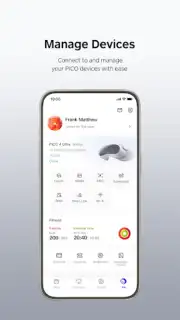
What does it take to truly master your extended reality (XR) ecosystem? The PICO mobile application serves as the central command hub for PICO VR headsets, transforming a standalone device into a fully integrated part of your digital life. This analysis examines the app's core functionality as a device manager, content portal, and social platform, detailing how it streamlines the user experience from initial setup to daily interaction.
Core Device Management and Content Library
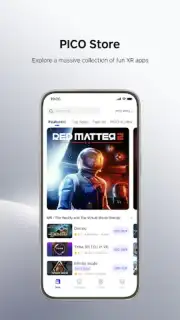
The application provides granular control over your PICO hardware, functioning as a remote interface for device settings, firmware updates, and system diagnostics. Beyond administration, it acts as a centralized library for all your XR applications. Users can browse, purchase, and install content directly to their headset from their phone, organizing a personalized portfolio of interactive experiences, games, and tools without needing to operate within the headset's built-in store. This seamless content synchronization ensures your chosen applications are ready to launch the moment you put on the headset.
Advanced Cross-Device Integration and Social Features
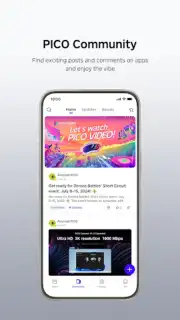
A standout technical capability is the app's robust cross-device functionality. It enables users to wirelessly transfer media files from a smartphone to a compatible headset like the PICO 4 Ultra. Conversely, it supports screen casting from the headset to the phone's display, allowing others to view the VR session or facilitating easier content sharing. For specific PICO models, the application also allows for phone screen mirroring into the VR environment, minimizing the need to remove the headset to check notifications. The integrated social layer includes community forums for discussion and a friends system to connect, share experiences, and coordinate multiplayer sessions, adding a persistent social dimension to typically solitary XR use.
Enhanced Utility and User Experience
The platform is engineered for extended utility, incorporating features like an Accessibility Service API for more reliable screen mirroring and persistent notification streams. Users receive real-time alerts for store updates, friend activity, and application status changes directly within the mobile interface. The design philosophy prioritizes intuitive navigation, consolidating powerful management tools into a clean, responsive dashboard that effectively reduces the friction often associated with managing a complex XR setup.
- Direct headset control and settings management
- Purchase and sync XR content remotely
- Advanced screen casting and media transfer
- Integrated social forums and friends list
Download the PICO mobile app now to unlock exclusive early access features and streamline your VR setup today—offer limited to new users.
Internet required. IAP available.
Information
| Version | 10.9.1 |
| Developer | Pico Immersive Pte. Ltd. |
| Requirements | Android Android + 7.0+ |
| Updated | 17.03.2026 |
| Size | 105.65 MB |
| Package | com.picovr.assistantphone.global |
| Signature | 0f9834506c47ef2a0afeac37a611a627 |
| Architecture | armeabi-v7a, arm64-v8a |


