


PigeonCast - Cast via AirPlay screenshots (4)

Description PigeonCast - Cast via AirPlay
Transform Your Screen into a Wireless Display Hub
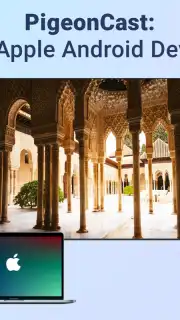
PigeonCast - Cast via AirPlay turns your Android device into a powerful, universal casting transmitter. This tool bridges the gap between your mobile content and larger screens, enabling seamless wireless streaming to AirPlay, Google Cast, and Miracast-compatible receivers. It directly solves the fragmentation in wireless display standards, allowing you to mirror or cast videos, presentations, photos, and apps from a single interface without being locked into one ecosystem.
Core Functionality and Feature Set
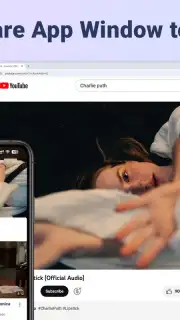
The app establishes a direct wireless connection between your Android device and a target display device. It functions by encoding your screen or selected media in real-time and transmitting it via the appropriate protocol. You can initiate a full device mirroring session for live demonstrations or select specific videos and images from your gallery to cast in a slideshow. The app automatically detects available receivers on your network, listing AirPlay devices (like Apple TV), Chromecast, smart TVs, and PCs with casting support for one-tap connection.
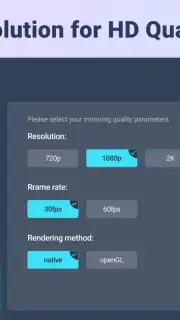
For performance, PigeonCast offers adjustable streaming resolution and bitrate controls to balance video quality with network stability. A built-in media player supports local file casting, and a private listening mode routes audio to your headphones while video plays on the big screen. The interface provides a persistent notification with quick controls to play, pause, or disconnect the active casting session without reopening the app.
Key Operational Advantages
The primary strength is protocol agnosticism, removing the need for multiple dedicated apps. The connection process is streamlined, with automatic receiver discovery and a clear list of available devices. Performance is optimized for low-latency streaming, which is critical for gaming or interactive apps, and the ability to cast in a background service allows you to use your phone for other tasks while media plays.
- Universal casting to all major standards
- Adjustable streaming quality controls
- Background casting with notification controls
Download PigeonCast now and unlock true wireless display freedom!
Heads up: you'll need wifi for most features. Some cool stuff is extra.
Information
| Version | 1.1.0 |
| Developer | PigeonCast |
| Requirements | Android Android + 6.0+ |
| Updated | 17.03.2026 |
| Size | 29.45 MB |
| Package | com.pigeoncast.screen.mirroring.android.tv |
| Signature | 003f8fcb7a91b598e192d1b244c71e84 |
| Architecture | armeabi-v7a, x86, arm64-v8a, x86_64 |


