


Pixel Screenshots screenshots (7)



Description Pixel Screenshots
What if your screenshots could be more than just static images?
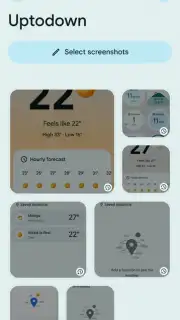
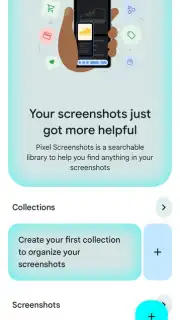
Pixel Screenshots is a utility from Google that fundamentally rethinks how you capture and interact with information on your Android device. Moving beyond a simple screen grab, it transforms static screenshots into dynamic, actionable content. This tool is designed for the user who needs to capture details now but act on them later, solving the common frustration of forgetting the context behind a saved image or losing time manually transcribing text.
Core Functionality and Intelligent Processing
The app operates seamlessly in the background after being enabled. When you take a standard screenshot on your Pixel device, it undergoes a sophisticated, on-device analysis. The system uses advanced machine learning models to parse the content of the image instantly. It identifies and extracts all text elements with high accuracy, from article paragraphs and product descriptions to contact details and web addresses. Furthermore, it recognizes common entities within the screenshot. For instance, if you capture a conversation about a restaurant, it can identify the restaurant's name and offer a direct link to its Maps listing or website. This processed data is not stored in the cloud by default; it is attached to the screenshot file itself as rich metadata, preserving privacy while adding immense utility.
Key Advantages and User Experience
The primary strength of Pixel Screenshots is its profound integration and effortless utility. It eliminates the need for a separate workflow involving multiple apps for OCR or link saving. The interface is minimal—the power lies in the long-press action on any screenshot in your gallery or the recents overview. This action reveals the parsed data in a clean, interactive panel. You can immediately copy all text, select specific portions, or tap on detected phone numbers, email addresses, and URLs to act directly. The experience feels less like using an app and more like a native, intelligent extension of the Android operating system itself, prioritizing speed, context, and user action over complex menus.
- On-Device Text Extraction: Instantly pulls editable text from any screenshot without an internet connection.
- Smart Contextual Actions: Recognizes phone numbers, emails, and addresses for one-tap calling or mapping.
- Deep System Integration: Activated with a simple long-press within your native gallery or recents view.
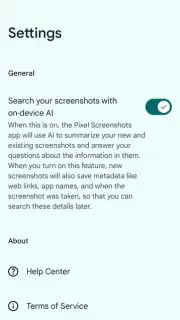
- Privacy-Focused Processing: Core analysis happens locally on your device to keep your data secure.
- Searchable Screenshot Content: Find old screenshots later by searching for words that appeared inside them.
Don't just capture your screen—capture its intent. Transform every screenshot into a springboard for action and stop letting information get trapped in images. This is a definitive upgrade to a core smartphone function.
Download Pixel Screenshots now and experience the next evolution of screen capture!
Requires a compatible Pixel device running Android 14 or later. Some advanced features may require an internet connection for full contextual actions (e.g., map loading). This is a system utility and does not contain in-app purchases. Data processing for text recognition is performed on-device.
Information
| Version | 0.25.123.13.release.762155852 |
| Developer | Google LLC |
| Requirements | Android Android + 14+ |
| Updated | 17.03.2026 |
| Size | 208.19 MB |
| Package | com.google.android.apps.pixel.agent |
| Signature | a38712e1ce82a75a5a819f90a901f1ad |
| Architecture | arm64-v8a |


