

Pixel Sketch screenshots (10)




Description Pixel Sketch
Pixel Sketch Is a Professional-Grade Pixel Art Studio Hiding in Your Pocket
Pixel Sketch transcends the typical mobile drawing app by offering a meticulously engineered environment specifically for the creation of pixel art. It functions as a comprehensive digital workshop where the constraints of the pixel grid become a catalyst for creativity rather than a limitation. This application is built for a wide spectrum of users, from beginners taking their first steps in digital art to seasoned pixel artists seeking a powerful and portable tool. The core experience is defined by its focused toolset, which removes the clutter of generic art apps to provide exactly what a pixel artist needs: precision, control, and a streamlined workflow from initial sketch to finished, shareable artwork.
A Deep Dive into the Application's Core Mechanics
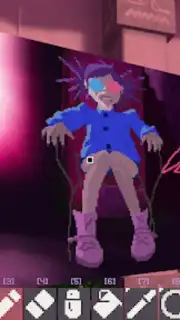
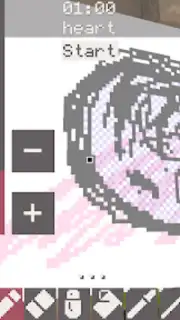
The application's interface presents a clean, uncluttered workspace centered around a customizable canvas. Users can zoom to extreme levels for detailed pixel placement or pull back to view the entire composition. The brush engine is notably responsive, with adjustable settings for size, opacity, and hardness, allowing for both sharp lines and soft, anti-aliased edges. Beyond basic drawing, the app includes advanced features like layer support with blend modes, a color picker with hex code input for absolute accuracy, and a symmetry tool for creating intricate patterns. The color palette system is robust, supporting both pre-set palettes reminiscent of classic hardware and fully custom ones that can be saved and exported.
Standout Features That Define the User Experience
- Real-Time Collaborative Canvas: Initiate live drawing sessions with other artists, seeing each other's strokes appear simultaneously for genuine co-creation, regardless of physical location.
- Ad-Free Turbo Environment: An optional upgrade unlocks a completely uninterrupted workspace, enhancing performance and removing all distractions for deep, focused artistic sessions.
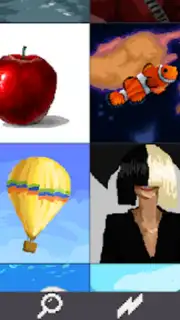
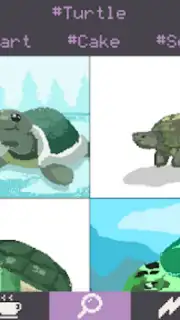
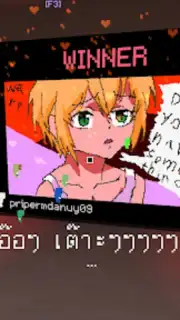
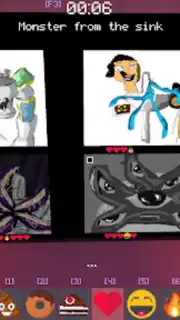
- Global Inspiration Gallery: Browse and contribute to an integrated online gallery filled with community artwork, serving as both a source of inspiration and a platform for exposure.
The social and collaborative aspects are seamlessly woven into the experience. The global community gallery is not a mere add-on but a core component, allowing artists to study techniques, gather feedback, and participate in themed challenges. The real-time collaboration feature is implemented with remarkable stability, making it a practical tool for brainstorming, mentoring, or simply creating with friends. This transforms Pixel Sketch from a solitary tool into a connected creative hub.
Final Analysis and Verdict
Pixel Sketch delivers a professional-caliber pixel art creation suite optimized for mobile devices. Its strength lies in its specialization; it does not attempt to be everything for every artist but instead excels profoundly within its chosen niche. The combination of a powerful, intuitive toolset with meaningful social and collaborative features creates a compelling ecosystem. For anyone interested in pixel art, game design, or digital illustration with a retro aesthetic, this app provides substantial value and a surprisingly deep feature set that rivals many desktop applications in its focus area.
Start creating detailed pixel masterpieces and collaborating with a global art community today.
Download Pixel Sketch mobile app now.
Disclaimer: This application requires a stable internet connection for collaborative features and gallery access. Optional in-app purchases are available for the Turbo upgrade and additional asset packs.
Information
| Version | 1.19 |
| Developer | mimicryTeam |
| Requirements | Android Android + 6.0+ |
| Updated | 17.03.2026 |
| Size | 47.1 MB |
| Package | com.mimicryteam.pixelsketch |
| Signature | 50e666450271bdfc21699a1461600aee |
| Architecture | arm64-v8a |


