


PixelLab screenshots (9)

Description PixelLab
You have a photo on your device. It’s a good shot, but it feels incomplete—it needs a caption, a creative touch, or a graphic element to tell its full story. Opening a complex desktop editor is overkill, and basic apps lack the necessary tools. This is where PixelLab by App Holdings functions as a dedicated on-device design studio, transforming simple images into layered graphic compositions through integrated text, drawing, and sticker tools.
Core Functionality and Editing Modes
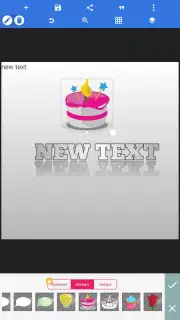
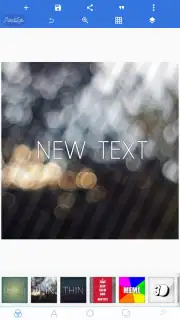
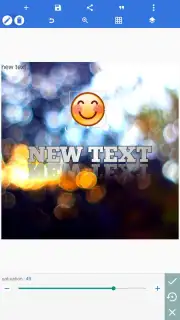
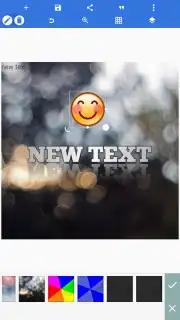
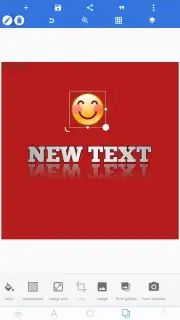
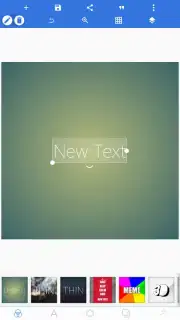
PixelLab operates as a multi-layer editor where each added element—text, drawing, or sticker—exists on a separate, adjustable layer. The primary mode involves importing any image from your gallery to serve as the base canvas. From there, you activate the text tool to insert custom copy. This tool provides control over font selection, color, and specific text effects including 2D, 3D, outlined, shadowed, and framed styles. A separate mirroring effect can be applied to text, creating a reflection on the image background. For visual elements, the application includes a sticker and emoji library with pre-made templates for quick placement, alongside a freehand drawing tool. The drawing tool offers adjustable brush size and color selection for creating original illustrations directly onto the canvas. All compositional elements can be repositioned, scaled, and rotated independently.
Technical Adjustments and Project Management
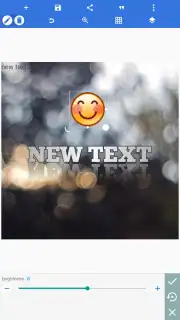
Beyond layering objects, PixelLab provides direct image parameter adjustment. This includes standard photo correction sliders for modifying brightness, contrast, and saturation levels. A key operational feature is the native project save system. Instead of only exporting a final JPEG or PNG, the application saves the entire editable project file. This preserves every layer, text edit, and effect in its current state. You can close the app, save the final image to your device, and later reopen the saved project file to resume editing, make alternative adjustments, or even apply the same template to a different base photograph.
Comprehensive Feature Overview
- Multi-layer text and graphic editing
- Customizable fonts with 3D effects
- Freehand drawing with brush controls
- Save and reopen editable projects
The software consolidates functions typically scattered across multiple programs into a single mobile utility. It removes the barrier between having an idea and executing a polished visual edit directly on your smartphone or tablet. The process from blank canvas to finished, shareable graphic is contained within one environment.
Download PixelLab now and install the APK to begin editing immediately. Do not wait to upgrade your photo customization workflow—get it today.
Internet required. IAP available.
Information
| Version | 2.1.9 |
| Developer | App Holdings |
| Requirements | Android Android + 6.0+ |
| Updated | 17.03.2026 |
| Size | 29.09 MB |
| Package | com.imaginstudio.imagetools.pixellab |
| Signature | bb337c35f244bd8a025fd2fe9a380804 |
| Architecture | universal |


