


Pixlr screenshots (10)



Description Pixlr
Looking for a mobile photo editor that balances professional-grade tools with genuine accessibility? Pixlr delivers a comprehensive editing suite designed to transform smartphone snapshots into polished visuals, leveraging AI to simplify complex tasks while keeping core functionality free.
Core Editing and AI-Powered Tools
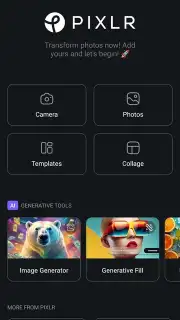
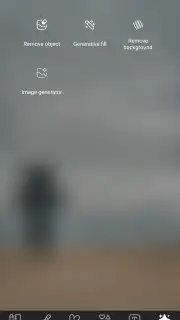
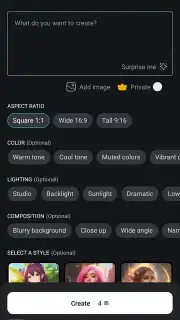
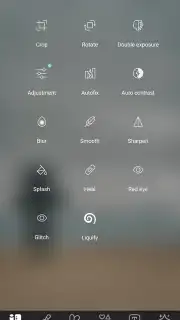
The app provides a foundational editor for direct adjustments to exposure, color balance, and contrast. Its operational focus, however, is on integrating artificial intelligence to automate advanced photo manipulation. The background removal tool functions through a single-tap interface, isolating subjects from any image layer. A complementary object eraser allows for the targeted deletion of unwanted elements from a scene. A dedicated AI image generator creates original visual content from user-defined text prompts, applying selected artistic styles to render new compositions in seconds.
Subscription Tiers and Resource Management
Pixlr operates on a credit-based system for its AI features, including image generation and certain premium filters. The free version includes advertisements and provides a limited pool of these credits. The Pixlr Plus and Premium subscription plans remove all advertising from the application interface and supply a monthly allocation of AI credits. These plans also unlock the full template library, provide access to exclusive fonts and overlay effects, and enable higher-resolution export options without watermarking.
- Perform one-tap background removal and object deletion from any imported image file.
- Generate entirely new AI images from descriptive text prompts in various artistic styles.
- Adjust core photo parameters like brightness, saturation, and clarity with manual slider controls.
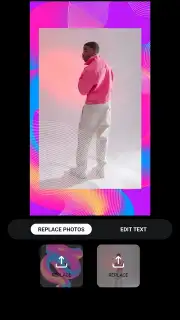
- Access a vast library of pre-designed templates for social media, marketing, and personal projects.
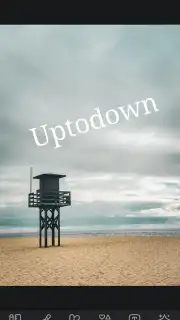
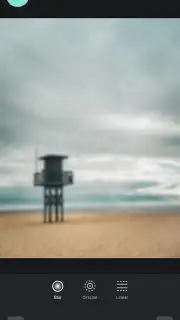
- Apply advanced filters, layer text with custom fonts, and use graphic overlays for detailed design work.
Get professional editing results on your device. Download the Pixlr mobile app now and start creating enhanced visuals today.
Heads up: you'll need wifi for most features. Some cool stuff is extra.
Information
| Version | 3.8.3 |
| Developer | Pixlr team |
| Requirements | Android Android + 9+ |
| Updated | 17.03.2026 |
| Size | 73.96 MB |
| Package | com.pixlr.express |
| Signature | a9eac08a33f449ce1e639a662708d643 |
| Architecture | armeabi-v7a, arm64-v8a |


