


Pixolor screenshots (5)


Description Pixolor
A Designer's Hidden Tool: The Pixel-Level Color Inspector
In the daily workflow of a digital creator, a specific and often frustrating challenge arises: identifying the exact color value of a single pixel on a screen. Whether you're analyzing a competitor's app interface, matching a hue from a social media graphic, or verifying a color code in a design specification, the process typically involves cumbersome screenshots and imprecise color pickers in desktop software. Pixolor for Android eliminates this friction entirely by placing a live, interactive color analysis tool directly over anything displayed on your device. It transforms your screen into a dynamic color palette, ready for instant inspection at a microscopic level. This is not merely a color picker; it is a diagnostic tool for the visual layer of your digital environment, offering precision that feels almost surgical in its application.
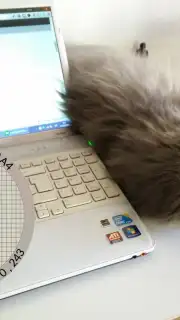
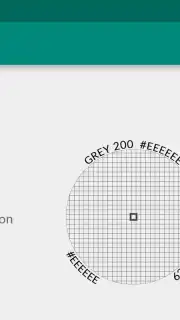
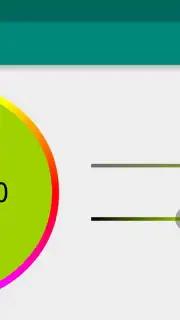
The core functionality operates with a deceptive simplicity that belies its technical depth. A semi-transparent, resizable loupe circle floats persistently above all other content, which can be dragged to any point on the display. The moment it settles, the application performs a real-time analysis of the pixel at its crosshair center. The primary readout within the circle is the RGB color code, displayed clearly, but the utility extends further by providing the exact DIP (Density-Independent Pixel) coordinates of that pixel. This coordinate data is crucial for developers and UI designers who need to communicate or debug specific screen locations precisely. For practical refinement, the underlying screen content can be pinched-to-zoom, magnifying the pixel grid itself. This allows for absolute accuracy when dealing with fine gradients or compressed images, ensuring the captured color is intentional and not an artifact. A particularly thoughtful feature for Android designers is the quick reference to the nearest matching color within the Material Design palette, streamlining the process of adhering to design system guidelines directly from any visual inspiration.
- Live On-Screen Color Loupe: Drag a persistent magnifying circle over any app, website, or image to get instant RGB values.
- Precision Pixel Coordinates: Capture exact DIP screen coordinates alongside color data for technical development and design handoff.
- Zoomable Pixel Grid & Material Design Match: Magnify the screen to isolate individual pixels and see the closest official Material Design color equivalent.
For UI/UX designers, graphic artists, developers, and meticulous content creators, this tool quietly solves a persistent, time-consuming problem. The absence of advertisements in the core experience ensures an uninterrupted workflow, making it a utility that fades into the background until its precise capability is required. Its value is proven in seconds saved repeatedly throughout a project.
Download Pixolor now—this utility is often discovered by word-of-mouth among professional circles. For a limited time, ensure you have this essential diagnostic tool installed before your next critical design review or development sprint. Exclusive, ad-free access is available for immediate setup.
Internet required. IAP available.
Information
| Version | 1.7.3 |
| Developer | embermitre |
| Requirements | Android Android + 14+ |
| Updated | 17.03.2026 |
| Size | 8.61 MB |
| Package | com.embermitre.pixolor.app |
| Signature | 2e64223411fe71dd177d776f27a0795f |
| Architecture | armeabi-v7a, x86, arm64-v8a, x86_64 |


