

PocketCloud Remote screenshots (3)
Description PocketCloud Remote
Ever feel that sudden need to access a file on your home computer while you're miles away? Or wish you could run a specific desktop program directly from your phone without complicated setups? That frustrating gap between your mobile device and your powerful PC is exactly what PocketCloud Remote by Dell was created to bridge.
This ingenious business tool transforms your Android screen into a genuine window to your computer. Imagine the freedom of opening documents, editing presentations, or using full desktop software remotely, as if you were sitting right at your desk. The connection is so seamless, it feels like your computer's power is now living in your pocket. You're not just viewing files; you're in full command of your entire digital workspace from anywhere, turning idle moments into productive sessions with just a tap.
Your Remote Control for Everything on Your Computer
PocketCloud Remote delivers a professional-grade remote access experience, designed to be both powerful and surprisingly straightforward. It connects you using robust, industry-standard protocols, ensuring a stable and responsive session whether you're checking in from a café or a conference room.
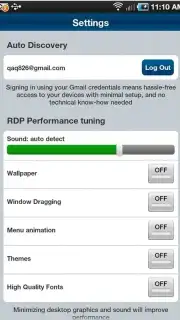
The magic lies in its flexible connection options. You can choose the simple, guided setup with auto-discovery that walks you through connecting to your PC step-by-step. For more advanced needs, the expanded mode lets you take control of virtually any computer by directly using RDP or VNC connections. This versatility means you can manage your primary workstation, a home media server, or even a colleague's machine with equal ease.
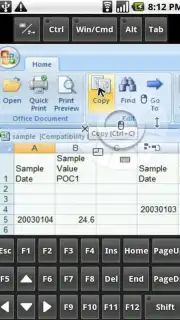
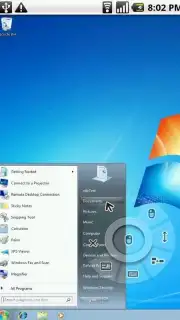
Once connected, the interaction is beautifully intuitive. Your finger becomes the mouse cursor, allowing for precise navigation and control. A full virtual keyboard pops up whenever you need to type, send commands, or input data. This combination effectively lets you launch and operate any application installed on your remote computer—from creative suites to development tools—directly through your Android device.
- Dual Connection Pathways: Effortlessly link via guided auto-discovery or take full control in advanced mode using standard RDP and VNC protocols for maximum compatibility.
- Direct Touch & Type Control: Navigate with your fingertip as a mouse and input text with a responsive virtual keyboard for complete remote operation.
- Access Any Program, Anywhere: Open and interact with virtually any software installed on your remote computer, turning your mobile device into a portable workstation.
The experience is streamlined and focused, free from disruptive ads. It’s a premium, uninterrupted portal to your most important files and tools, putting true desktop productivity in the palm of your hand whenever inspiration or necessity strikes.
We suggest trying PocketCloud Remote to finally untether yourself from your physical desk. Consider downloading it today and experience the simplicity of having your entire computer securely accessible through your phone or tablet.
Download the PocketCloud Remote mobile app now.
Disclaimer: A stable internet connection is required for remote access functionality. This application facilitates connections to other computers; the user is responsible for the security and configuration of remote machines. Data usage applies during remote sessions. Please ensure your use complies with all relevant terms of service and age restrictions.
Information
| Version | 1.4.117 |
| Developer | Dell |
| Requirements | Android Android + 8+ |
| Updated | 17.03.2026 |
| Size | 11.59 MB |
| Package | com.wyse.pocketcloudfree |
| Signature | 5cc88e4865af6ade756daec5ca5af1e4 |
| Architecture | armeabi, armeabi-v7a, x86 |


