


POCO Launcher screenshots (10)
Description POCO Launcher
A Launcher That Delivers Flagship-Level Customization to Any Android Device
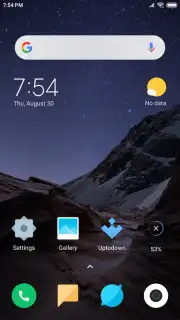
POCO Launcher effectively ports the distinct, highly-tuned user interface philosophy of Xiaomi's POCO smartphones to virtually any Android device. This is not merely a cosmetic skin but a systematic reorganization tool, engineered to impose order and elevate visual coherence on your home screen. It operates with a focus on decluttering the Android experience, transforming a standard grid of icons into a logically sorted and aesthetically unified environment. The result is a tangible increase in operational efficiency and a more polished, intentional device aesthetic that feels both personalized and professionally streamlined.
Core Mechanics and Organizational Features
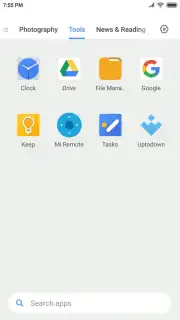
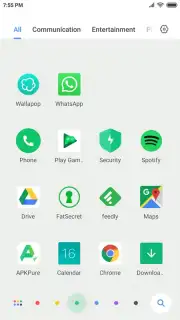
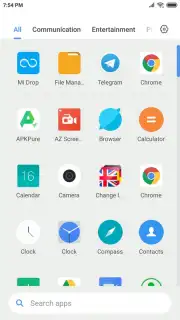
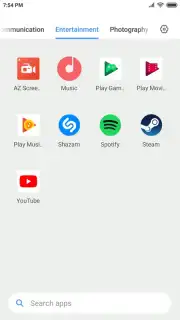
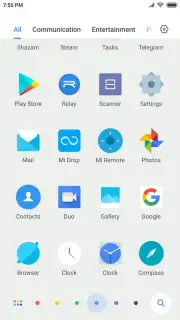
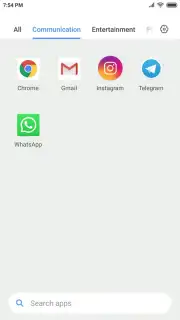
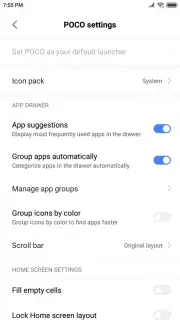
The launcher's primary utility lies in its automated, yet deeply customizable, sorting algorithms. Upon installation, it proactively scans your app library and categorizes applications into logical groups such as Social, Tools, Photography, and Games. This automatic taxonomy immediately surfaces lesser-used apps and reduces time spent scrolling through disorganized drawers. Beyond this baseline organization, POCO Launcher introduces a uniquely visual sorting parameter: color. Users can opt to arrange applications based on the dominant hue of their icons, creating a gradient-like effect across the app drawer that allows for near-instant visual recognition. This method often proves faster than textual search for frequently used apps.
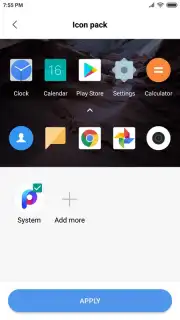
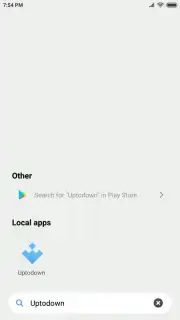
Performance is underpinned by what the developer terms a 'Turbo' mode, which focuses on resource management to ensure animations remain fluid and responses instantaneous, even on mid-range hardware. The interface incorporates modern Android design tenets, including support for adaptive icon shapes and the implementation of a convenient, pill-shaped search bar for system-wide queries. For users seeking complete visual overhaul, the launcher supports third-party icon packs, allowing you to apply a unified aesthetic theme across all app icons, which the standard categorization system will still recognize and respect.
- Automated App Categorization: Intelligently sorts all installed applications into intuitive, user-editable folders for immediate structure.
- Visual Color-Based Sorting: Offers an alternative app drawer arrangement organized by icon color for rapid visual identification.
- Modern Android Features & Custom Icons: Integrates app shortcuts, a streamlined search bar, and full support for custom icon packs.
We suggest trying POCO Launcher if your priority is a cleaner, faster, and more logically organized smartphone interface without unnecessary complexity.
Download POCO Launcher now to transform your device's organization and aesthetics.
Please note: This application requires an internet connection for initial setup and certain features, and may offer optional in-app purchases.
Information
| Version | RELEASE-6.01.05.1993-02021709 |
| Developer | Xiaomi Inc. |
| Requirements | Android Android + 14+ |
| Updated | 17.03.2026 |
| Size | 24.88 MB |
| Package | com.mi.android.globallauncher |
| Signature | 701478a1e3b4b7e3978ea69469410f13 |
| Architecture | arm64-v8a |


