

POMELO Camera screenshots (9)

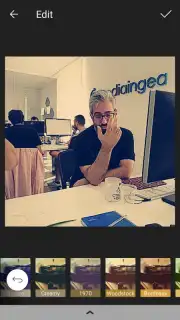
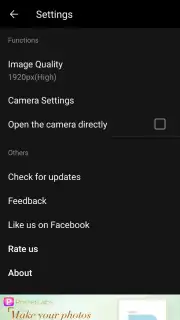
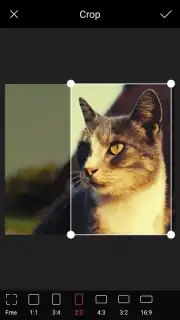

Description POMELO Camera
Struggling to Achieve a Consistent, Professional Look for Your Photos?
Many mobile photography apps offer filters, but the results often appear generic or overly processed, lacking the nuanced control needed for a cohesive visual style. POMELO Camera addresses this by functioning as a combined capture and editing suite, placing a specific emphasis on granular, real-time adjustment. Developed by PIXOCIAL TECHNOLOGY, a subsidiary of the established Meitu Technology group known for applications like BeautyPlus and Airbrush, this app leverages significant industry experience in image processing. Its core proposition is providing direct, hands-on control over the final image from the moment of capture, moving beyond one-tap fixes to offer a more intentional editing workflow.
Core Functionality and Editing Mechanics
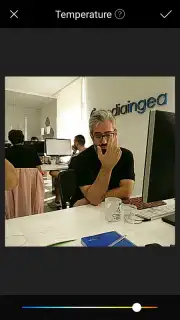
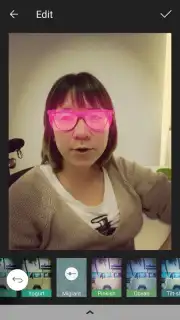
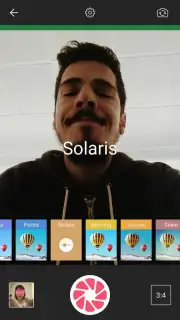
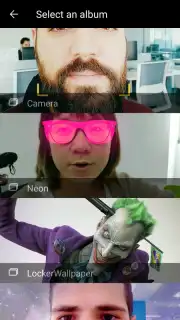
The application operates in two primary modes: a live capture camera and a post-processing editor for existing images from your gallery. The defining technical feature is the provision of over 60 distinct filters that can be previewed and applied in real-time through the viewfinder. This live preview system eliminates guesswork, allowing for precise compositional and stylistic decisions before the shutter is activated. Post-capture, the editing toolkit expands to include standard but essential parameters for color temperature adjustment, cropping, and the application of blur effects for depth or focus. A key operational detail is the adjustable intensity slider for every filter, which mitigates the common problem of overly strong preset effects and enables subtle, customized looks.
The app's architecture is designed for a streamlined workflow, concluding with the export of the final image directly to the device's local storage. It is important to note the application's business model: the standard version includes advertising, while a separate "Turbo" version is offered as a premium upgrade. This Turbo version is promoted as removing all advertisements and may include additional performance or feature benefits, a common monetization structure in this category.
- Real-Time Filter Preview: Apply and adjust over 60 filters directly in the camera viewfinder for precise pre-capture styling.
- Granular Effect Control: Fine-tune the intensity of every filter and editing tool to avoid over-processed, artificial-looking results.
- Dual-Mode Operation: Utilize the app as a dedicated camera or as a powerful editor for existing photos in your device's gallery.
Get your bonus of professional-grade control and start transforming your photos with intention. Download POMELO Camera now.
Disclaimer: This application requires a stable internet connection for initial download and potential updates. The app may offer optional in-app purchases for premium features, such as the Turbo version.
Information
| Version | 3.0.212 |
| Developer | PIXOCIAL TECHNOLOGY (SINGAPORE) PTE. LTD. |
| Requirements | Android Android + 5.0+ |
| Updated | 17.03.2026 |
| Size | 44.03 MB |
| Package | com.beautyplus.pomelo.filters.photo |
| Signature | 8e1d5ad9ea79e1b3068afa19c8e07ebe |
| Architecture | armeabi-v7a, arm64-v8a |


