

Power Toggles screenshots (7)

Description Power Toggles
Tired of Endless Menus? Your Android's Control Center Just Arrived.
Ever feel like your phone is hiding its best features from you? You know the setting you need is in there somewhere, buried under layers of menus and sub-menus. It’s frustrating, it wastes your time, and it makes simple tasks feel like a chore. What if you could flip that entire experience on its head? Imagine having a master control panel for your Android device, where every essential switch, toggle, and setting lives right on your home screen or notification shade, waiting for your command. That’s the immediate reality with Power Toggles by Painless Apps. This isn't just another settings shortcut; it's a complete reimagining of how you interact with your device, putting unparalleled convenience and deep system control directly into your hands. Stop searching and start commanding.
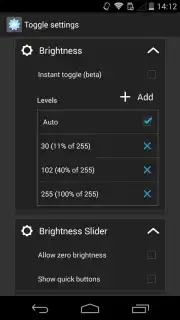
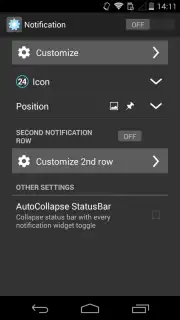
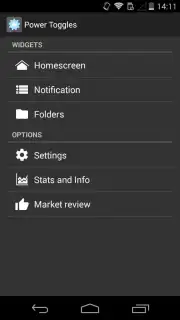
Power Toggles transforms your device management from a scavenger hunt into a streamlined, visually intuitive experience. The core genius lies in its widget-based system. You’re no longer tied to the system settings menu. Instead, you build your own personalized control dashboards. Place compact, stylish toggles for Wi-Fi, Bluetooth, or mobile data right on your home screen. Want to adjust screen brightness or toggle GPS with one tap? It’s done. You can even create custom folders on your desktop to group related functions, turning your home screen into a mission control center that’s perfectly tailored to your daily routine. The level of customization is profound—change icon sizes, modify button colors, and set custom background images for your widgets, so your controls are not only powerful but also a seamless part of your phone's aesthetic.
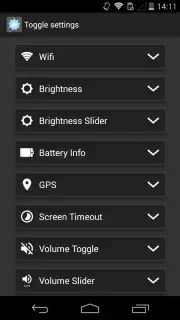
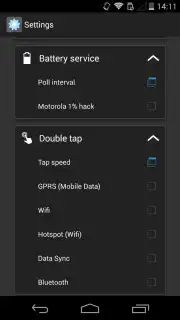
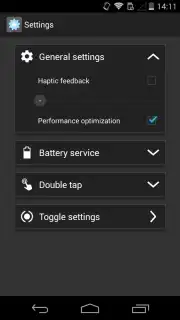
Dive into the advanced settings, and you’ll discover tools that feel like secret superpowers. The connection manager goes far beyond basic toggles, letting you configure advanced internet options, auto-sync rules, and hotspot settings from a single hub. The battery usage panel provides clear, actionable stats alongside quick-toggles for battery-draining features. Then there are the ingenious gesture controls: configure double-tap actions to instantly activate your flashlight, switch audio modes, or enable Bluetooth—all without ever unlocking your phone. The lock screen and display settings module lets you manage everything from font size to timeout behavior directly. Best of all, you experience this premium, ad-free environment thanks to its optimized performance architecture, ensuring your commands are executed instantly, without lag or distraction. This is about designing a device that works exactly how you think.
- Custom Desktop & Notification Widgets: Build personalized control panels with resizable icons and colors directly on your home screen and notification shade for one-tap access.
- Advanced System & Connection Hub: Manage deep settings for battery, GPS, brightness, auto-sync, and all connectivity options from one organized, centralized interface.
- Gesture Quick-Actions & Tools: Program double-tap commands and quick-toggles for your flashlight, mobile data, and more, enabling faster control than your native settings.
Stop accepting the slow, clunky way your phone manages settings. Take direct control and feel the satisfaction of a device that responds to your touch with precision and speed. Power Toggles delivers a cleaner, faster, and infinitely more personalized Android experience. Transform your phone into the efficient powerhouse it was meant to be.
Download Power Toggles now and claim your control advantage today!
Requires an internet connection for initial download and permissions setup. The app may offer optional in-app purchases for enhanced features. Standard data rates may apply.
Information
| Version | 6.0.4 |
| Developer | Painless Apps |
| Updated | 17.03.2026 |
| Size | 826.94 KB |
| Package | com.painless.pc |
| Signature | 6fcd9cfd2de11311c6f9e46df00db671 |


