


PowerDirector screenshots (9)

Description PowerDirector
Navigating the Demands of Mobile Video Editing
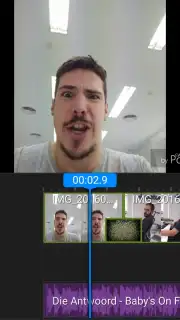
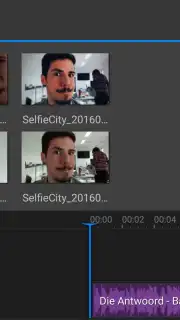
The challenge of finding a professional-grade video editor for Android that balances robust functionality with a manageable learning curve is a common hurdle. CyberLink's PowerDirector addresses this directly, providing a desktop-level editing suite condensed for mobile use. It transforms raw clips, photos, and audio files into polished projects, demanding not advanced skills, but primarily the user's time and creative intent. The interface, familiar to those with experience in platforms like Adobe Premiere, utilizes an intuitive timeline where assets are manipulated through simple drag-and-drop actions.
Core Functionality and Editorial Precision
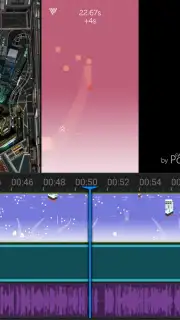
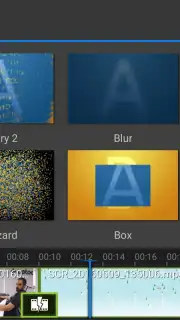
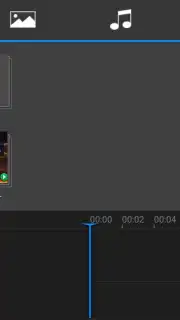
The application's foundation is its multi-track timeline, which allows for precise layer management of video, images, titles, and sound. Selecting any clip on the timeline unlocks a comprehensive set of editing tools for trimming, splitting, repositioning, and applying transformations. A significant operational advantage is the complete absence of advertising, a feature enhanced by the optional Turbo processing mode for faster rendering and export. The editorial workflow is further refined by a library containing over 30 distinct transition effects and more than 30 visual filters, enabling seamless scene changes and stylistic enhancements without overwhelming the user with irrelevant options.
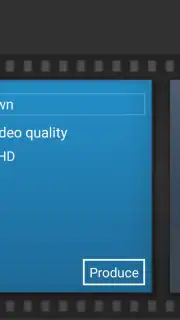
Upon project completion, the export module offers granular control. Users can save their work as a project file for future edits or export the final video. The output settings allow for quality selection from 360p up to 1080p Full HD, automatically aligning with the capabilities of the source material to ensure optimal file size and clarity.
- Professional Multi-Track Timeline: Edit video, audio, images, and text on separate layers with precise drag-and-drop control for complex compositions.
- Extensive Effects Library: Access over 30 transitions and 30+ visual filters to seamlessly blend clips and apply cinematic styles.
- Flexible Export Settings: Render and save projects in resolutions from 360p to 1080p, matching the quality of your original footage.
While some competitors may boast simpler interfaces or larger effect collections, PowerDirector's output quality and professional toolset for Android are difficult to match. It delivers edited results that closely approximate desktop software, making it a standout solution for serious mobile creators.
Download PowerDirector now to unlock professional editing tools at no initial cost. Exclusive access to premium features is available for a limited time to first-time users.
Internet required. IAP available.
Information
| Version | 7.3.2 |
| Developer | CyberLink.com |
| Requirements | Android Android 4.4+ |
| Updated | 02.09.2026 |
| Size | 76.94 MB |
| Package | com.cyberlink.powerdirector.DRA140225_01 |
| Signature | 64:6B:15:E6:09:C9:69:4F:7F:2F:8F:63:20:FE:46:67:81:18:FF:2C |
| Architecture | armeabi-v7a |


