


PrivateScreen screenshots (9)
Description PrivateScreen
What if you could shield your screen from prying eyes with a single tap?
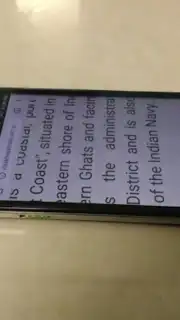
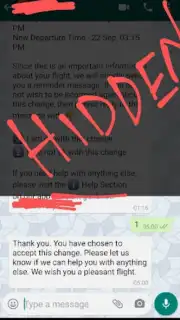
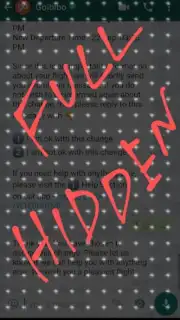
PrivateScreen is a utility application developed by Latif Mohammad Khan, designed to address a common privacy vulnerability: screen visibility in public or shared spaces. The core mechanic applies a blurring or obscuring layer over the entire device display. This layer effectively blocks casual observation, preventing others from reading sensitive information such as messages, documents, or financial details. The user then defines a clear, visible window—often a small circle or rectangle—through which they can interact with specific on-screen elements. This creates a focused tunnel of visibility for data entry or reading, while the surrounding screen content remains protected. The application functions as a real-time privacy filter, operating independently of other apps to secure any activity on the device.
Adjustable Privacy Parameters and Display Modes
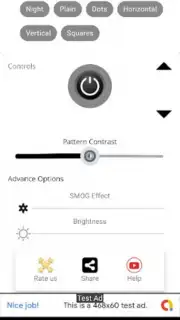
The application provides granular control over the privacy screen's properties. Users can adjust the opacity and intensity of the blur effect, allowing for a spectrum from a light haze to a completely opaque shield. This configurability enables adaptation to different environments; a lighter blur may be suitable for a semi-private office, while a stronger setting is optimal for crowded transit. A distinct Night Mode is integrated, shifting the overlay to a darker color palette optimized for low-light conditions. This mode reduces overall screen glare and minimizes blue light emission from the visible aperture, aiming to decrease eye strain during extended reading sessions in dim environments. The settings are applied system-wide, ensuring consistent privacy protection regardless of the application in use.
Functional Analysis and Implementation
From a technical perspective, PrivateScreen operates as an accessibility or overlay service. It does not require root access, functioning through standard Android permissions to draw over other apps. The advertised absence of advertisements is a notable feature, contributing to an uninterrupted user experience. The interface is typically minimal, focusing on quick toggles for the privacy screen, night mode, and configuration panel. Performance impact is generally minimal, as the effect is a graphical overlay rather than a processor-intensive operation. The utility is singular in purpose, avoiding feature bloat to maintain reliability in its primary function of visual privacy protection.
- Implements a dynamic blur or obscurity layer over the entire device screen.
- Creates a user-defined clear window for secure data input and reading.
- Offers fully adjustable transparency and blur intensity settings.
- Includes a dedicated Night Mode for reduced eye strain in darkness.
- Functions system-wide without advertisements for uninterrupted use.
Get this essential privacy tool on your device immediately. Download the mobile app now!
Note: An active internet connection may be required for initial download and updates. The app may offer optional in-app purchases for advanced features.
Information
| Version | 15.3 Kartik |
| Developer | Latif Mohammad Khan |
| Requirements | Android Android + 5.0+ |
| Updated | 17.03.2026 |
| Size | 6.37 MB |
| Package | com.privatescreen |
| Signature | 27824d2e8a6b01f506a736440d0fc510 |
| Architecture | universal |


