


PS Remote Play screenshots (5)
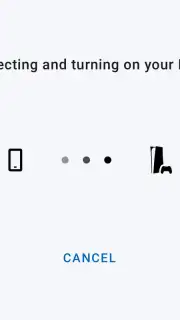

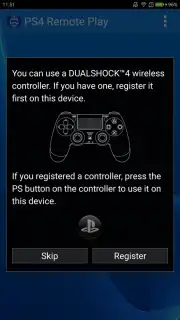
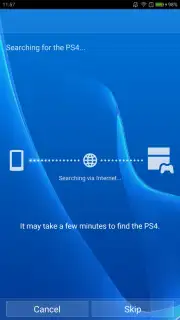
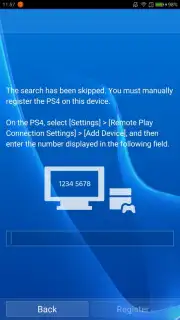
Description PS Remote Play
Extending Your PlayStation Console Beyond the Living Room Display
A primary constraint for dedicated console gamers is the tether to a single television or monitor. This setup limits gameplay to one room and can create conflicts in shared living spaces. PS Remote Play directly addresses this by decoupling the PlayStation 4 or PlayStation 5 experience from its primary display, enabling users to stream their console's interface and game library directly to a compatible Android device. The application functions as both a remote display and a control hub, effectively turning a smartphone or tablet into a portable terminal for your console. This allows for gameplay, menu navigation, and system management from any location within a stable network, provided all system requirements are meticulously met.
Core Functionality and Operational Parameters
The application establishes a direct streaming link between the console and the mobile device. The console handles all processing, while the Android device acts as a real-time receiver for video and audio, sending back control inputs. For optimal performance, specific technical thresholds must be met. The console must be updated to the latest system software and configured for remote connectivity, while the mobile device requires a sufficiently modern Android OS version that corresponds to the controller being used. A DualShock 4 controller necessitates Android 10 or higher, the standard DualSense for PS5 requires Android 12, and the advanced DualSense Edge controller mandates Android 14. Beyond hardware, a persistent and high-speed internet connection for both devices is non-negotiable, as is an active PlayStation Network account to authenticate the remote session.
Analysis of Peripheral Integration and Utility Features
Beyond core streaming, PS Remote Play incorporates several peripheral integrations that significantly enhance usability. These features are often overlooked but substantially reduce friction in common console interactions. The ability to use the mobile device's native touchscreen keyboard for text input on the console eliminates the tedious process of using a controller to select individual characters, streamlining communication and search functions. Furthermore, the app allows the Android device's microphone to be used for PlayStation Network voice chat, freeing the user from needing a dedicated gaming headset for casual conversation. The interface also provides virtual touch controls for basic navigation, though for serious gameplay, pairing a supported physical controller is essential.
- High-Fidelity Console Streaming: Stream your PS4 or PS5 display directly to your Android device with minimal latency over a strong Wi-Fi connection.
- DualShock & DualSense Controller Support: Officially supports wireless pairing with PlayStation controllers, with OS requirements varying by model.
- Mobile Microphone for Voice Chat: Join party chats directly using your Android device's built-in microphone, removing the need for a separate headset.
Performance Considerations and Practical Use Cases
In practice, performance is heavily dependent on network quality. On a robust, low-interference Wi-Fi network, the experience can be seamless for many single-player and less reaction-critical games. Users may notice variable latency or compression artifacts in fast-paced competitive titles. Not every game or console feature is perfectly optimized for the remote play environment, and occasional reconnection may be required. However, for use cases like managing downloads, browsing the store, playing turn-based or narrative-driven games from another room, or providing household flexibility, the utility is substantial. It effectively creates a secondary, portable screen for your console ecosystem.
Start winning today by unlocking the full potential of your PlayStation library from any room in your home. Claim your advantage now and transform your Android device into a powerful gaming companion.
Download PS Remote Play now
Disclaimer: This application requires a constant internet connection and is dependent on network speed and stability for performance. It requires ownership of a PlayStation 4 or PlayStation 5 console, a PlayStation Network account, and specific Android OS versions for full controller compatibility. Data usage may be high during streaming sessions. This is an official application from PlayStation Mobile Inc. for remote access to PlayStation consoles. Age restrictions may apply based on content accessed through the linked console.
Information
| Version | 8.5.1 |
| Developer | PlayStation Mobile Inc. |
| Requirements | Android Android + 10+ |
| Updated | 17.03.2026 |
| Size | 43.87 MB |
| Package | com.playstation.remoteplay |
| Signature | 6e4d29e97d36a7efc5442e05a7fae6df |
| Architecture | armeabi-v7a, arm64-v8a |


