


PSP Simulator - Launcher screenshots (6)

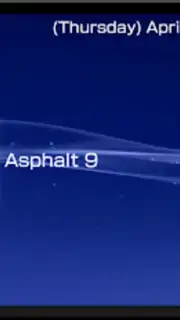
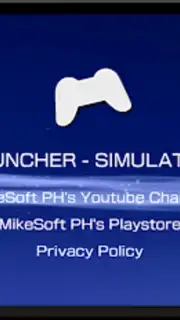
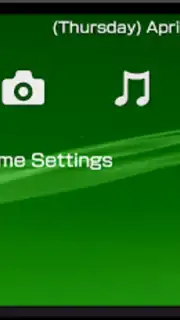
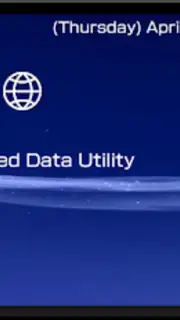
Description PSP Simulator - Launcher
A Nostalgic Portal in Your Pocket
For many, the PlayStation Portable was more than a handheld; it was a gateway to entire worlds during commutes, school breaks, and late nights under the covers. That distinct XMB interface, with its iconic soundscape and sleek navigation, defined an era of portable gaming. The PSP Simulator - Launcher recreates that precise experience on your Android device, transforming your modern smartphone into a personalized tribute to a classic console's dashboard, solving the desire for that specific tactile and visual nostalgia without the need for original hardware.
Core Functionality and Customization
This application functions as a highly accurate launcher, replicating the PlayStation Portable's Cross Media Bar (XMB) interface. It is not an emulator for playing PSP game ROMs, but a sophisticated skin and organizational tool for your device. Users can navigate through categories like Games, Music, Photos, and Settings using the classic left-right, up-down controls, complete with authentic sound effects and visual feedback. The primary utility lies in its ability to categorize and launch your existing Android applications, media files, and system settings through this beloved menu system, offering a deeply thematic way to interact with your device daily.
Key User Experience Advantages
The value of this simulator is rooted in its attention to detail and lightweight utility. It prioritizes aesthetic authenticity and smooth performance, ensuring the nostalgic experience is seamless rather than burdensome. The launcher operates with minimal resource drain, maintaining system responsiveness while providing a visually cohesive theme. Its configuration options allow for a degree of personalization within the classic framework, letting users arrange their most-used apps and media in the appropriate XMB categories for quick, style-conscious access.
- Authentic XMB Interface: Navigate a precise visual and auditory replica of the PSP's menu system, including wallpapers, icons, and navigation sounds.
- Application and Media Launcher: Organize and directly launch your installed Android apps, music library, and gallery photos from within the themed categories.
- Lightweight and Responsive: Designed for stability on devices running Android 6.0 and above, focusing on smooth performance without excessive battery or memory usage.
Start winning today by transforming your phone's everyday interface into a slice of gaming history.
Download mobile app now
A network connection is not required for core launcher functionality. This product is a theme/launcher application and does not contain or play proprietary game software. Please be aware that the app may contain advertisements and offer optional in-app purchases for additional features or to remove ads.
Information
| Version | 1.62 |
| Developer | MikeSoft PH |
| Requirements | Android Android + 6.0+ |
| Updated | 17.03.2026 |
| Size | 22.44 MB |
| Package | ph.mikesoft.psplauncher |
| Signature | 9ab1b90dead0043e282d83643ab2e430 |
| Architecture | universal |


