

Qgis screenshots (3)
Description Qgis
A Desktop-Grade GIS for Your Pocket: Can Mobile Handle the Power?
For professionals and enthusiasts working with geospatial data, the primary constraint has often been hardware. Detailed spatial analysis, layer management, and project visualization were tasks tethered to a desktop workstation. The promise of taking a full-featured Geographic Information System into the field or on the road has been a significant logistical hurdle. QGIS for Android directly confronts this challenge by porting the renowned open-source desktop application's core engine to a mobile platform. This is not a simplified viewer or a basic data collection tool; it is a deliberate attempt to provide the complete QGIS analytical and project management environment on a handheld device. The central question for any user becomes whether the interface and form factor can adequately channel the application's inherent power for productive mobile work.
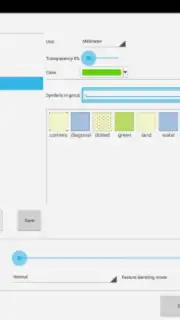
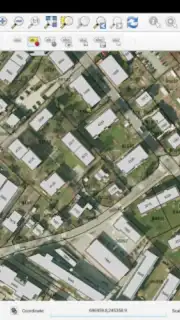
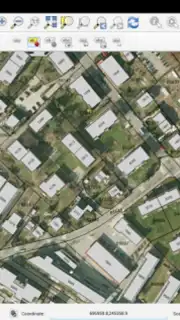
The application delivers a remarkably comprehensive suite of GIS functionalities. Users can create new vector layers, digitize features directly on the device's screen, and apply complex symbology to categorize and visualize data. It supports a wide array of vector and raster data formats, allowing for the integration of existing project files and base maps. Spatial analysis tools enable on-site querying, measurement, and geoprocessing, turning a tablet or large-screen phone into a legitimate field analysis station. The ability to edit attribute data and geometry in real-time, then save and export the changes, closes the loop on mobile data management. However, this power comes with a direct port of the desktop interface paradigm, which relies heavily on small menus, toolbar icons, and right-click context menus not natively present on touchscreens. This can necessitate a stylus for precise operations and a period of adaptation to the touch-based interpretation of classic GIS workflows.
Core Feature Analysis
- Complete Desktop Functionality Port: Directly integrates the QGIS processing engine, offering near-identical analytical, editing, and visualization tools as the desktop version.
- Multi-Format Data Management: Supports creation, editing, and export of numerous geospatial vector and raster formats for seamless project portability.
- Advanced Spatial Analysis On-Device: Perform real-time queries, measurements, and geoprocessing tasks in the field without a continuous internet connection.
- Full Project Editing & Visualization: Manage complex layer trees, apply detailed symbology, and compose maps directly within the mobile application interface.
- Professional-Grade Field Data Collection: Use your device as a high-precision digitizing tablet for capturing and editing geospatial features and attributes.
For surveyors, field researchers, urban planners, and GIS analysts who require uncompromised analytical capability away from the office, this application provides a unique and powerful solution. It effectively bridges the gap between field reconnaissance and desktop-grade processing. While applications like QField offer a more touch-optimized and streamlined experience, particularly for pure data collection, QGIS for Android stands apart by offering the full breadth of the software's toolkit. It demands more from the user in terms of interface navigation but rewards that investment with unparalleled control and flexibility on a mobile device.
Download the QGIS mobile app now and transform your Android device into a professional geospatial workstation. Start your advanced field analysis project today.
Disclaimer: Application functionality requires a compatible Android device. An internet connection may be needed for initial data loading or certain base map services. The application may offer in-app mechanisms for supporting development.
Information
| Version | 2.8.2 - Wien |
| Developer | OPENGIS.ch |
| Requirements | Android Android + 10.9 Mavericks+ |
| Updated | 17.03.2026 |
| Size | 22.01 MB |
| Package | org.qgis.qgis |
| Signature | d572fb03be02c558e94f73e5c54ec58e |
| Architecture | armeabi-v7a |


