

QuickShare screenshots (6)
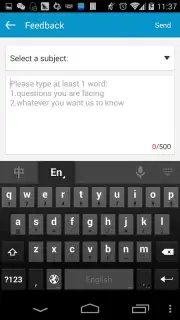
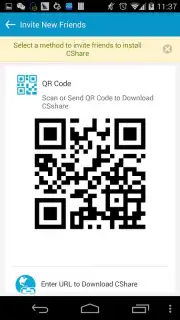
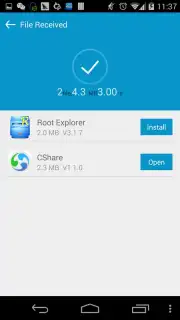
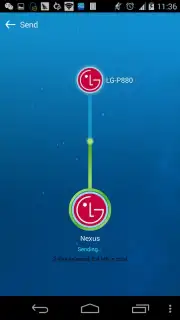

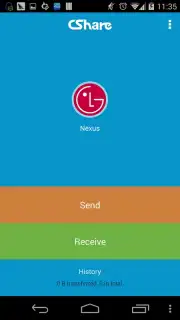
Description QuickShare
Effortless Sharing in a Fragmented Digital World
In an era where sharing a simple file between devices often feels like navigating a maze of incompatible apps, cables, and cloud uploads, the process becomes a frustrating barrier to genuine connection. QuickShare eliminates this digital friction entirely, providing a seamless, instant bridge for your photos, videos, documents, and links. It transforms what is typically a multi-step chore into a fluid, almost invisible action, letting you focus on the content and the conversation, not the cumbersome mechanics of transfer.
Core Functionality: A Direct, High-Speed Transfer Protocol
QuickShare operates on a straightforward yet powerful principle: creating a direct, peer-to-peer connection between devices. By utilizing local Wi-Fi and Bluetooth, it establishes a secure, high-speed channel that bypasses the need for internet data or intermediary servers. The sender selects files, generates a simple QR code or a unique session key, and the receiver scans or enters it to initiate a direct pull. This method ensures transfers are not only rapid—often achieving speeds significantly faster than traditional Bluetooth—but also private, as data never touches an external cloud. The interface is deliberately minimal, with a large, clear button for sending, an equally prominent area for receiving, and a clean history log of recent transfers.
Key Advantages Over Conventional Methods
The application’s value is defined by its tangible improvements to the user experience, performance, and accessibility.
- Zero-Data Transfers: Share large video files or entire photo albums without consuming your mobile data plan or requiring an active internet connection, ideal for travel or areas with poor coverage.
- Universal Cross-Platform Compatibility: Effortlessly connect and send files between Android devices of different manufacturers and OS versions, overcoming common proprietary ecosystem barriers.
- Intuitive One-Tap & QR Connectivity: Initiate or join a sharing session in seconds through a simple tap-to-connect feature or by scanning a dynamically generated QR code, removing complex pairing procedures.
Download the QuickShare mobile app now and experience the definitive solution for device-to-device sharing. This is a limited-time offer for new users to access premium transfer speeds and an ad-light experience upon initial installation.
Disclaimer: This application requires basic permissions to access your device's storage for file selection and Wi-Fi/Bluetooth controls to establish connections. An internet connection may be required for initial app download and occasional feature updates. The app is free to use; optional in-app purchases may be available for advanced features. Data transmission occurs directly between devices over local networks. Please ensure compliance with copyright laws when sharing content. The developer is not responsible for the content of shared files. Persistent use of Wi-Fi and Bluetooth can reduce battery life. Suitable for users of all ages.
Information
| Version | 1.1.5 |
| Developer | mobogenie.com |
| Requirements | Android Android + 2.3, 2.3.1, 2.3.2+ |
| Updated | 17.03.2026 |
| Size | 4.49 MB |
| Package | com.cshare |
| Signature | d92c9451fd2a70a815eae83a16be821d |
| Architecture | universal |


