


REC Screen Recorder screenshots (3)
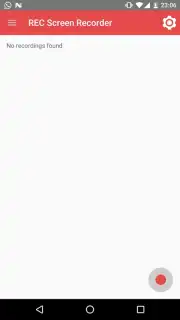
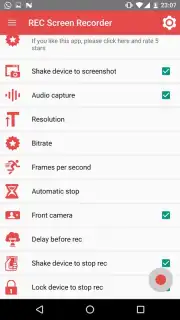
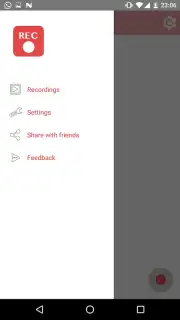
Description REC Screen Recorder
Stop Struggling with Clunky Screen Recording. Start Creating Smooth, Professional Videos Directly on Your Phone.
Imagine trying to show a friend that tricky game level, demonstrate a cool app feature, or save a fleeting video call moment—only to be met with laggy footage, watermarks, or a confusing mess of settings. That frustration ends here. REC Screen Recorder transforms your Android device into a seamless capture studio. You get crystal-clear video and audio with zero fuss, making it effortless to record tutorials, gameplay highlights, or any on-screen activity. This isn't just a recorder; it's your gateway to sharing, teaching, and preserving what matters on your screen in the highest quality.
Capture and Create with Unmatched Ease
Hit record with a single tap from the floating control widget—no need to dig through menus. You’re in control: record in stunning Full HD, capture internal sound or your own commentary via the microphone, and even use the front camera to include your own reactions in a picture-in-picture frame. The magic continues after recording. Dive into the built-in editor to trim clips, merge videos, add custom text or stickers, and extract perfect still images from your footage. It’s a complete production suite designed for speed and simplicity, so you can go from capturing an idea to sharing a polished video in minutes.
Why Your Content Deserves REC Screen Recorder
Forget about complex software or compromised quality. This tool is built for the real world, where you need reliability and great results without the headache. The interface is so intuitive you’ll master it instantly, yet it’s packed with powerful features that content creators love. Experience buttery-smooth recording even during graphic-intensive games, thanks to optimized performance. Your videos will look professional and load fast, ready to impress on any social platform or messaging app.
- One-tap HD screen recording
- Built-in video editor & trimmer
- Picture-in-picture camera overlay
- No recording time limits
Turn Your Screen Into Your Stage
Why settle for mediocre captures when you can produce standout content with ease? REC Screen Recorder gives you the professional edge for tutorials, gaming, and everyday sharing. Get the clarity and control you deserve—transform how you record and share your screen today.
Download REC Screen Recorder now and start creating in perfect clarity!
Disclaimer: This application requires an internet connection for certain functions. It may contain in-app purchases. Please be aware of your mobile data usage. The app is intended for a general audience but users should comply with all applicable laws regarding screen recording and content sharing. REC Screen Recorder is a product of GateDev and requires Android 7.0 or higher.
Information
| Version | 2.7.4 |
| Developer | GateDev |
| Requirements | Android Android + 7.0+ |
| Updated | 17.03.2026 |
| Size | 36.76 MB |
| Package | com.rec.screen |
| Signature | 5361233fdc68ec1986f1a83875a76580 |
| Architecture | armeabi-v7a, arm64-v8a |


