

Recenser screenshots (6)
Description Recenser
Looking for a lightweight video editor that delivers professional-grade tools without the bloat? Recenser provides a comprehensive mobile editing suite designed to enhance your footage through advanced stabilization, multi-track audio, and creative overlays—all within a 20MB package and completely free of watermarks.
Core Editing and Enhancement Tools
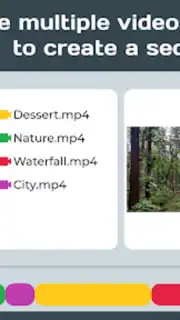
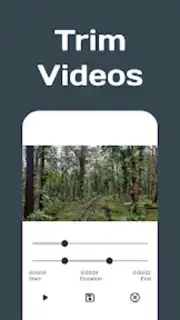
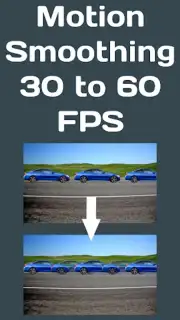
The application delivers a full set of manipulation tools for basic and complex video projects. You can trim, crop, rotate, and merge multiple video clips directly on your device. For motion refinement, it includes proprietary tools for video stabilization, motion smoothing, and frame rate interpolation to improve playback quality. The editor supports variable speed controls for creating slow-motion or fast-forward effects, and allows for full video reversal or conversion into GIF format for easy sharing.
Audio, Graphical, and Creative Features
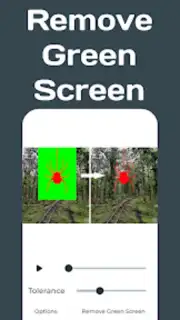
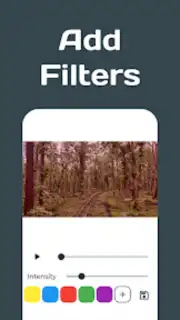
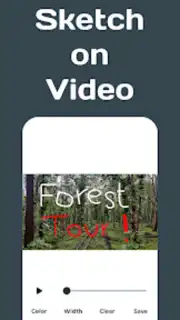
Recenser provides granular control over audio with support for two independent audio tracks that can be mixed over your video. You have the option to completely replace the original sound. For visual customization, you can add text and graphical overlays, draw directly onto the video canvas, and apply color filters from a selection of over 16.7 million RGB values. A dedicated chroma key function enables green screen effects for compositing.
Performance and Output Optimization
The app is engineered for processing efficiency, offering faster render times even with high-resolution or large file sizes. A central utility is the integrated video compressor, which significantly reduces file size for storage or sharing while aiming to preserve visible quality. The interface maintains a clean, navigable design to keep the editing workflow accessible. The Turbo mode removes advertisements and unlocks the full suite of benefits for an uninterrupted editing session.
- Motion smoothing and stabilization tools
- Two-track audio mixing and replacement
- Over 16.7 million customizable color filters
- Efficient video compression and GIF conversion
Get your professional editing toolkit and start creating enhanced video content today. Download the mobile app now.
Disclaimer: This application requires an internet connection for full functionality. It may contain in-app purchases, including a subscription for Turbo mode. Data usage applies during download and operation. The app is intended for users over a certain age as per the platform's terms. Please review the app's privacy policy for details on data collection and usage.
Information
| Version | 2.0.3 |
| Developer | CrossPlat |
| Requirements | Android Android + 7.0+ |
| Updated | 17.03.2026 |
| Size | 46.28 MB |
| Package | com.crossplat.recenser |
| Signature | 7778f58d77b945db3acaa5facdf0fa87 |
| Architecture | armeabi-v7a, arm64-v8a |


