


Roborock screenshots (4)
Description Roborock
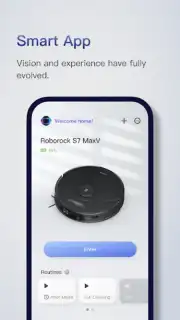
Tired of manually controlling your smart vacuum or checking its status? The Roborock mobile app transforms your phone into a dedicated command center for your Roborock robot vacuum and mop, enabling complete, remote home cleaning management.
Core Functionality & Control
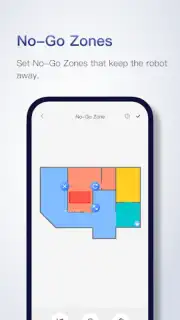
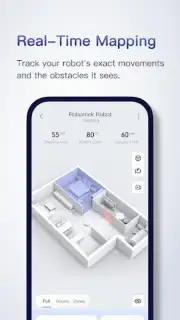
The app provides direct, granular control over your Roborock device. You can initiate cleaning sessions, pause operation, or summon the robot to its dock from anywhere. The interface delivers real-time status updates on cleaning progress, battery level, and error alerts. A primary feature is the interactive map view, which displays a layout of your cleaned areas, allowing for room-specific targeting and the creation of virtual no-go zones and barriers to protect delicate furniture or specific rooms.
Key Features & Customization
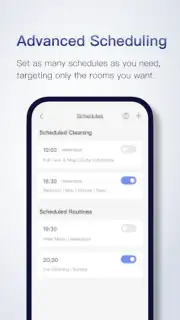
Beyond basic remote control, the app unlocks advanced automation and maintenance tools. You can create and save multiple maps for different floors, schedule recurring cleanings for specific days and times, and select cleaning modes like Quiet, Balanced, Turbo, or Max for different surfaces. The app also provides access to maintenance reminders, allowing you to monitor brush and filter wear, and order replacement parts directly. For models with mopping capabilities, you can control water flow levels and set mop-only zones.
- Interactive Map & Zoning
- Multi-Schedule Automation
- Maintenance & Alerts Hub
Gain exclusive access to a smarter home today. Download the Roborock mobile app now and experience the first month of premium features at no cost for new users.
Internet required. IAP available.
Information
| Version | 4.59.08 |
| Developer | Roborock |
| Requirements | Android Android + 7.0+ |
| Updated | 17.03.2026 |
| Size | 72.36 MB |
| Package | com.roborock.smart |
| Signature | 9b1d1f21a473c3056f5c170b797a97db |
| Architecture | arm64-v8a |


