


Sadx FreeStyle screenshots (8)
Description Sadx FreeStyle
A Practical Tool for Mobile Shooter Customization
For players of competitive mobile shooters like Free Fire, achieving the perfect control sensitivity is often a process of trial and error. Sadx FreeStyle enters this space as a utility application designed to streamline that process. It functions as an external overlay tool, providing a suite of visual aids and reference data intended to help users manually calibrate their in-game experience. The core proposition is one of assistance, offering presets and real-time performance metrics without directly interfering with game files or automated gameplay mechanics.
Core Functionality: Sensitivity Reference and Visual Overlays
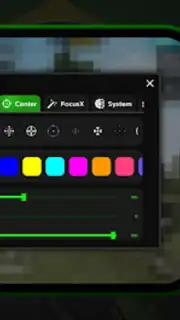
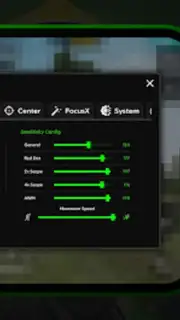
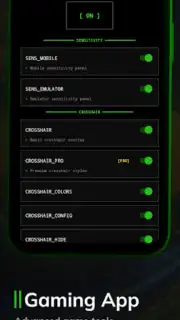
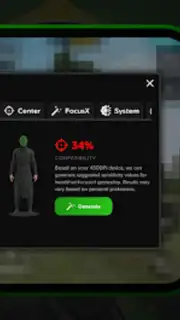
The application’s primary feature is its sensitivity preset system. Users can select from high, medium, or low sensitivity profiles to receive a set of numerical reference values. These values are not injected into games automatically; instead, they serve as a practical starting point. The user must manually enter these suggested figures into the settings menu of their chosen game, such as Free Fire, and then iteratively adjust them to match their personal playstyle. A secondary visual tool is a static crosshair overlay, which can be toggled on to float above the gameplay. This overlay acts as a fixed point of reference for hip-fire practice or aim training, remaining non-interactive—it does not register touch inputs or automate any screen actions, ensuring all control remains with the player.
Performance Monitoring and System Transparency
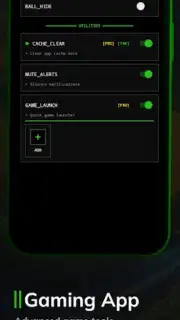
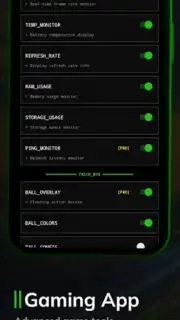
Beyond sensitivity aids, Sadx FreeStyle includes a floating monitor panel. This panel can display key system metrics in real-time, drawing on Android’s accessible data. Typical information includes current frames per second (FPS), RAM usage, and device battery temperature. The data is presented in a compact, legible format that allows players to monitor potential performance bottlenecks without leaving the game window. It is critical to note the application’s operational boundary: it runs independently, reading system data but not modifying game code, internal files, or intercepting touch controls. This maintains a clear separation between the utility layer and the core gameplay.
Design Philosophy: Minimalist Interface and User Control
The interface is designed for utility and discretion. Control elements are compact and accessible, facilitating quick adjustments between matches without cluttering the screen. The entire toolset is built on a principle of user-driven configuration; every adjustment is a manual step, and all overlays are purely visual guides. This approach prioritizes transparency, ensuring the game’s native behavior is untouched while providing the tools for fine-tuning. The application is also notably lightweight, minimizing its background resource footprint to avoid impacting gameplay performance.
- Sensitivity preset profiles for reference
- Static, non-interactive crosshair overlay
- Real-time FPS and system monitor
- Lightweight, non-intrusive interface design
We suggest trying Sadx FreeStyle if you are seeking a manual, hands-on approach to tuning your shooter controls and monitoring device performance during gameplay. Consider downloading the application to access these utility features directly.
This application requires an internet connection for initial functionality checks. It may offer optional in-app purchases for enhanced features. It functions as a standalone utility and does not modify or automate gameplay in third-party titles.
Information
| Version | 1.0.0 |
| Developer | Lunexa Studios |
| Requirements | Android Android + 8.0+ |
| Updated | 17.03.2026 |
| Size | 12.23 MB |
| Package | com.freestyle.fss |
| Signature | bd2b0321d9a09aad8156f974719d7e3f |
| Architecture | armeabi-v7a, arm64-v8a |


