

Samsung DeX screenshots (1)
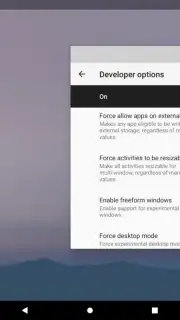
Description Samsung DeX
Transform Your Phone into a Desktop Computer
What if your smartphone could replace your laptop for work and play? Samsung DeX turns your compatible Samsung Galaxy device into a powerful desktop computing experience. Simply connect to a monitor, TV, or PC to unlock a familiar Windows-like interface, complete with resizable windows, a taskbar, and drag-and-drop functionality. This app bridges the gap between mobile convenience and desktop productivity, eliminating the need to switch devices for serious tasks.
Core Functionality and Tools
Samsung DeX provides a complete desktop environment powered by your phone. It enables true multitasking by allowing you to run multiple mobile and web apps in separate, adjustable windows simultaneously. You can connect via HDMI using a DeX Station, DeX Pad, or USB-C hub, or wirelessly to supported Smart TVs and monitors. For PC and Mac users, the DeX for Windows/macOS application lets you run DeX as a window on your computer, enabling seamless file transfer between your phone and desktop. The system supports keyboard shortcuts, right-click context menus, and precise cursor control for a natural workflow.
Key Operational Advantages
The primary strength of DeX is its seamless integration and performance. It leverages your phone's hardware to deliver a smooth, lag-free desktop experience without requiring cloud processing. The interface automatically optimizes apps for the larger screen, and supported apps can offer enhanced layouts. Your phone can be used as a touchpad or keyboard, or it can continue to operate independently for calls and notifications while DeX is active on the big screen. This creates a unified ecosystem where all your files, apps, and data are centralized on a single device.
- Desktop Multitasking: Run multiple apps in resizable windows with a taskbar and system tray for efficient workflow management.
- Flexible Connection Modes: Connect via HDMI cable, wirelessly to compatible displays, or through DeX for PC/Mac software.
- Enhanced App Experience: Many apps adapt their layout for the desktop interface, providing a more comprehensive toolset.
- Integrated File System: Directly access and manage your phone's storage from the desktop, with easy drag-and-drop to and from a connected PC.
- Peripheral Support: Use a Bluetooth or wired keyboard and mouse for precise control, with full support for standard keyboard shortcuts.
Claim Your Desktop Advantage Now
Stop being limited by a small screen. Unleash the full potential of your Samsung Galaxy device and streamline your digital life into one powerful hub. Download Samsung DeX today and experience a new dimension of productivity.
This application requires a compatible Samsung Galaxy device running Android 12 or higher and an internet connection for initial setup and certain features. Some connection methods may require additional hardware (sold separately). Features and performance may vary by device model and software version.
Information
| Version | 4.7.17 |
| Developer | Samsung Corporation |
| Requirements | Android Android + 12+ |
| Updated | 17.03.2026 |
| Size | 6.96 MB |
| Package | com.sec.android.desktopmode.uiservice |
| Signature | d087e72912fba064cafa78dc34aea839 |
| Architecture | arm64-v8a |


