


Samsung Flow screenshots (5)

Description Samsung Flow
What if your smartphone could become the master key to your entire Samsung ecosystem?
Samsung Flow is a system-level utility application designed to establish a persistent, secure bridge between a compatible Samsung smartphone and other Samsung or Windows devices. Its core function is to replace traditional authentication methods and streamline workflows by leveraging the smartphone as a trusted hub. This review examines the technical implementation and practical utility of its feature set for cross-device operation.
Core Functionality and Feature Analysis
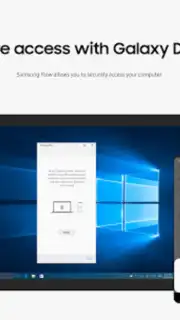
The application operates by creating a private, authenticated channel between devices, primarily over Bluetooth or Wi-Fi/LAN connections. A primary documented use case is device unlocking: a user can authenticate their Samsung tablet or a compatible Windows 10/11 PC using the biometric sensor (fingerprint or facial recognition) on their paired Samsung phone. This removes the need to manually enter passwords on secondary devices, acting as a physical security token. While recent Windows policy changes have altered some implementations of this feature, the core secure connection framework remains active for data transfer and notification sync.
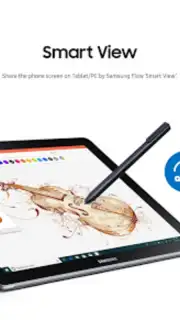
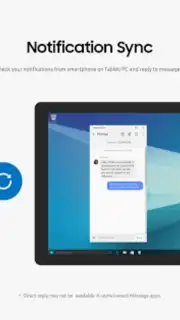
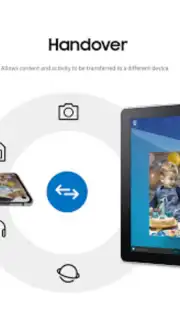
Beyond authentication, Samsung Flow facilitates several continuity features. It enables a unified notification center, mirroring smartphone alerts—including calls, messages, and app notifications—onto the screen of a connected tablet or PC. Users can view these alerts and, with appropriate permissions granted, even interact with them, such as dismissing notifications or replying to messages directly from the larger device. The application also simplifies content transfer. Files, documents, and media can be moved between connected devices through a dedicated interface, bypassing cloud services or physical cables for a direct, local transfer, which can be advantageous for speed and privacy.
For internet connectivity sharing, the app integrates a mobile hotspot activation shortcut. A user can instantly enable their phone's mobile data sharing for their connected PC or tablet directly from the Flow interface on the secondary device, streamlining a process that typically requires manual phone interaction. The application requires specific permissions to function: mandatory access to nearby devices, notifications, and storage. Optional permissions for phone, contacts, and SMS unlock the advanced capabilities to handle communications from other devices.
Technical Specifications and Ecosystem Requirements
Compatibility is a critical consideration. Samsung Flow is not a universal solution but is engineered for specific ecosystems. It requires official Samsung software on the mobile side (Android N/7.0 or higher) and, for Windows, a system running the Windows 10 Creators Update (build 15063.413) or newer. Support varies by specific smartphone and PC models due to hardware and driver dependencies. The application must be installed on all devices intended for pairing, and it is available via the Galaxy Store on Android and the Microsoft Store on Windows. Maintaining updated versions across all devices is necessary for reliable operation and access to the latest features.
- Biometric Cross-Device Unlock
- Unified Notification Synchronization
- Instant File Transfer Channel
- Integrated Mobile Hotspot Control
The utility of Samsung Flow scales directly with the number of Samsung devices in a user's workflow. It provides a tangible, if niche, solution for reducing friction in a multi-device environment, focusing on security, continuity, and direct data mobility.
Download Samsung Flow now to integrate your devices into a cohesive and secure personal network.
Disclaimer: This application requires a persistent internet connection for initial setup and certain features. It functions within the Samsung and Windows ecosystems and may not be compatible with all device models. Some advanced features require granting optional permissions for phone, contacts, and SMS. Data usage applies when using the mobile hotspot feature. Users should ensure their devices meet the specified OS requirements for compatibility.
Information
| Version | 4.9.20.4 |
| Developer | Samsung Electronics Co., Ltd. |
| Requirements | Android Android + 12+ |
| Updated | 17.03.2026 |
| Size | 14 MB |
| Package | com.samsung.android.galaxycontinuity |
| Signature | d087e72912fba064cafa78dc34aea839 |
| Architecture | armeabi-v7a, arm64-v8a |


