

Samsung Launcher screenshots (4)
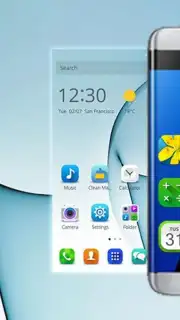
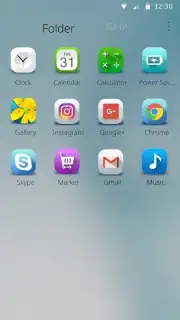

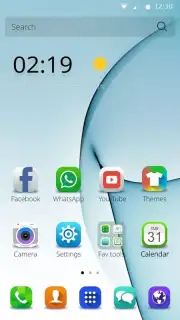
Description Samsung Launcher
Looking for a way to personalize your Samsung device beyond the standard settings? Samsung Launcher transforms your home screen into a dynamic, efficient, and uniquely yours command center, designed specifically to enhance the native Samsung experience.
This launcher provides deep customization tools that work in harmony with your device's hardware and One UI software. It introduces advanced grid layouts, icon pack support, and gesture controls that are not typically accessible in the stock launcher. You can create multiple themed home screen profiles for work and personal use, or apply detailed visual tweaks to system elements like the notification shade and app drawer. The focus is on providing granular control over the interface's look and feel while maintaining the stability and smooth performance expected from a Samsung device.
Core Functionality & Tools
Samsung Launcher operates by replacing your default home screen application, offering a layer of enhanced personalization. It integrates with your existing settings while providing a separate suite of customization options.
- Apply third-party icon packs and create custom icon labels with unique fonts.
- Adjust home screen and app drawer grid sizes up to 8x8 for dense widget and icon placement.
- Configure double-tap and swipe gestures to lock the screen or launch any application.
- Enable a vertical-scrolling app drawer with customizable background transparency and blur effects.
- Utilize a built-in sidebar for quick access to favorite apps and tools from any screen.
Key Technical Advantages
The primary strengths of this launcher lie in its optimization for the Samsung ecosystem and its performance-oriented design.
- Reduced System Overhead: Built with a lightweight codebase that minimizes battery and RAM usage compared to feature-heavy third-party launchers.
- Stable One UI Integration: Maintains full compatibility with Samsung features like Edge Panels, Secure Folder, and system-wide dark mode without causing conflicts.
- Precision Customization: Offers pixel-level control over widget padding, icon size, and folder appearance for a polished final layout.
- Routine-Based Profiles: Automatically switches home screen themes and layouts based on time of day, location, or connected Wi-Fi network.
Download the Samsung Launcher today and unlock exclusive early access to its premium customization suite—this introductory offer is for a limited time only.
Disclaimer: This application requires an internet connection for initial setup and access to online icon packs. It may contain optional in-app purchases for advanced themes and features. The launcher requires accessibility services to enable certain gesture controls. Data usage depends on the download of additional theme components. Use of this third-party launcher is subject to your device's compatibility and Android version (4.0+). It is not an official Samsung product.
Information
| Version | 1.33.3 |
| Developer | Launcher for Samsung |
| Requirements | Android Android + 4.0, 4.0.1, 4.0.2+ |
| Updated | 17.03.2026 |
| Size | 4.13 MB |
| Package | com.cubot.launcher |
| Signature | 65de9c9cb26e7079ae83be2ab2e45eb5 |
| Architecture | armeabi |


