

Samsung MultiStar screenshots (4)
Description Samsung MultiStar
Unlock the True Power of Your Samsung Galaxy
Imagine your phone feeling brand new again, but with capabilities you never knew it had. You pick up your Samsung device, and instead of wrestling with limitations, you command it with precision. Samsung MultiStar is the key that transforms your familiar interface into a powerhouse of productivity and personalization, putting you in complete control. This isn't just an app; it's your backstage pass to the advanced features built right into your Samsung phone, waiting for you to discover them.
Features That Redefine Your Daily Experience
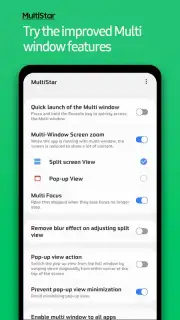
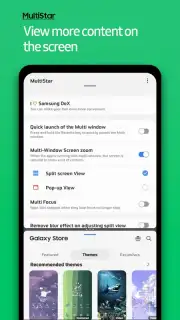
Samsung MultiStar grants you access to a suite of powerful tools designed to enhance multitasking and streamline your workflow. It turns the concept of using one app at a time into a distant memory. You can run two instances of the same app simultaneously, perfect for managing multiple social media accounts or comparing documents side-by-side without constant switching. The app introduces advanced split-screen and pop-up view controls, allowing you to resize floating windows with ease and truly tailor your screen's real estate to your task.
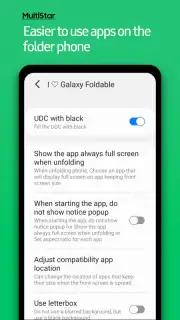
Beyond multitasking, it deepens your customization. Adjust the aspect ratio of apps to fit your content perfectly, or enable features that keep your screen on precisely when you need it. It provides granular control over your device's behavior, making it adapt to your habits rather than you adapting to it. This level of management turns your phone from a reactive tool into a proactive partner for work, creativity, and entertainment.
Why Your Galaxy Needs This Tool
- Effortless Multi-Tasking: Run dual instances of popular apps like WhatsApp, Instagram, or YouTube. Log into two different accounts at the same time on the same device, seamlessly.
- Advanced Window Management: Master split-screen and pop-up view with enhanced controls. Resize, reposition, and minimize floating windows to create a truly flexible desktop-like experience on your phone.
- Deep System Customization: Unlock hidden settings to fine-tune app behavior, screen orientation, and aspect ratios for a perfectly tailored visual experience.
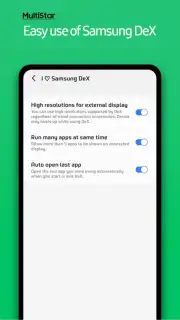
- Boosted Productivity: Keep your screen active in specific apps, automate window layouts, and reduce friction in your daily digital routines. It’s designed to save you time and taps.
- Official & Optimized: Developed by Samsung Electronics Co., Ltd., this tool is built specifically for your Galaxy device, ensuring stability, security, and perfect harmony with One UI.
Stop settling for the default experience. Command your device, reclaim your screen, and multiply your productivity. This is the upgrade your Samsung phone has been waiting for.
Download Samsung MultiStar now and transform your phone today!
Heads up: This app is designed specifically for Samsung Galaxy devices running Android. Some advanced features may require specific device models or later versions of One UI. A stable internet connection is recommended for initial setup and accessing certain functionalities.
Information
| Version | 9.0.15 |
| Developer | Samsung Corporation |
| Requirements | Android Android + 15+ |
| Updated | 17.03.2026 |
| Size | 16.2 MB |
| Package | com.samsung.android.multistar |
| Signature | d087e72912fba064cafa78dc34aea839 |
| Architecture | armeabi-v7a, arm64-v8a |


