


Samsung Print Service Plugin screenshots (13)
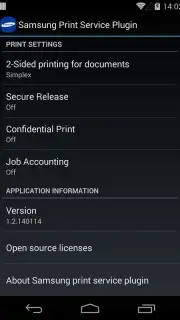
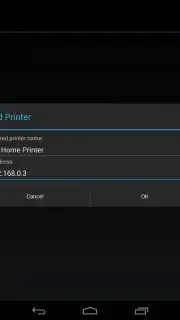

Description Samsung Print Service Plugin
Unlock Wireless Printing from Any Android Device
Stop being chained to your desk to print. The Samsung Print Service Plugin, developed by HP Inc., transforms your Android smartphone or tablet into a powerful, mobile print station. This official utility seamlessly bridges the gap between your device and a wide array of compatible Samsung printers on the same network, turning complex printing tasks into simple, tap-and-go actions. Whether you're at home, in a small office, or moving around a workspace, this plugin delivers reliable, driver-free printing directly from your palm.
Core Functionality & Key Advantages
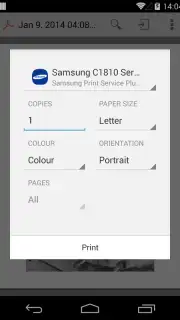
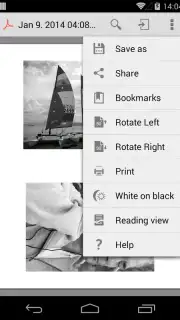
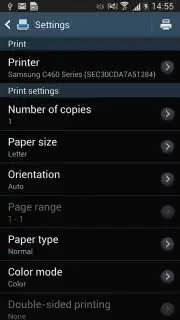
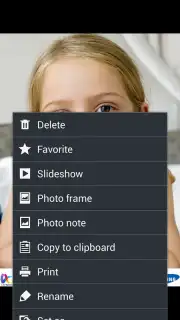
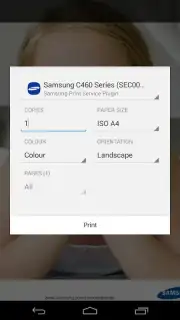
This plugin acts as a dedicated print channel for your Android operating system, integrating directly with the standard 'Print' menu across countless applications. Once installed, it automatically discovers supported printers on your local Wi-Fi network, eliminating the need for cumbersome driver installations or third-party software. Its lean design ensures it runs efficiently in the background, ready to handle print jobs from emails, documents, photos, and web pages without slowing down your device or cluttering it with ads.
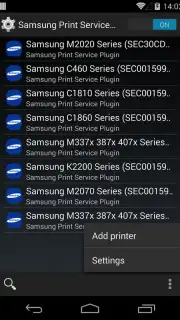
- Broad Samsung Printer Compatibility: Connects seamlessly to dozens of Samsung laser printer series, including monochrome workhorses like the M2020/M2070 and versatile color models like the CLP and CLX series, for reliable output.
- Streamlined Document Workflow: Send print jobs directly from your Android device to the printer with just a few taps, supporting various file types and page formats for ultimate convenience on the go.
- Stable Network-Based Operation: Utilizes your existing Wi-Fi network for a stable connection, ensuring your print commands are transmitted quickly and securely to the target printer without cables.
Detailed Printer Series Compatibility
This plugin is engineered to work with an extensive range of Samsung printer families, ensuring support for both older reliable models and newer efficient series. Full compatibility is confirmed for the following groups:
- Monochrome Laser Printers: Series M2020/M2070, ML-1865W/2150/2160/2165/2250/2525/257x/2580/285x/2950/305x/3300/347x/331x/371x/405x/455x/551x/651x, M262x/282x/267x/287x, and models SF-650 & SF-760.
- Color Laser Printers: Series CLP-300/31x/32x/350/360/610/620/660/670/680/770/775 and CLX-216x/316x/317x/318x/838x/854x/9252/9352/92x1/93x1.
- Multifunction Color Printers: Series SCX-1490/2000/320x/340x/4623/4x21/4x24/4x26/4x28/470x/472x/4x33/5x35/5x37/6545/6555/8030/8040/8123/8128 and C410/C460.
Download this essential mobile app now and experience the freedom of wireless printing! This is a limited-time offer for seamless workflow integration—exclusive access for first users to upgrade their mobile productivity toolkit today.
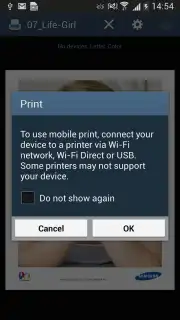
Heads up: you'll need an active Wi-Fi connection for printer discovery and all printing features. Ensure your printer is compatible, powered on, and connected to the same network as your Android device for optimal performance.
Information
| Version | 3.12.260420 |
| Developer | HP Inc. |
| Requirements | Android Android 13+ |
| Updated | 02.09.2026 |
| Size | 56.25 MB |
| Package | com.sec.app.samsungprintservice |
| Signature | AB:31:99:C6:05:D3:68:3D:8B:0B:5B:25:C4:BE:1E:EE:6A:4E:85:24 |
| Architecture | x86, x86-64, armeabi-v7a, arm64-v8a |


