

Samsung Record screen screenshots (5)
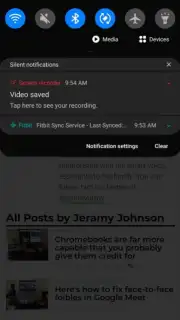
Description Samsung Record screen
A Professional Screen Recorder Engineered for Samsung Devices
For users of Samsung smartphones and tablets, capturing on-screen activity has traditionally required navigating system-level settings or relying on third-party applications with inconsistent performance. This utility provides a dedicated, system-integrated solution for high-fidelity screen recording, removing the friction from creating tutorials, preserving gameplay, or sharing visual bug reports. It is designed to function as a native extension of the One UI experience, offering stability and access that generic recorders cannot match.
Core Functionality and Recording Tools
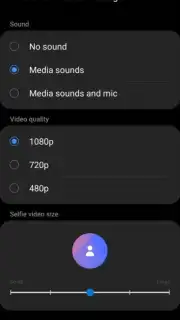
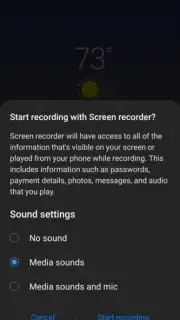
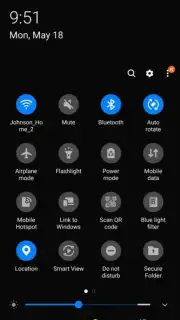
The application activates a persistent floating controller or quick panel tile for instantaneous recording initiation. Users can select from multiple audio source configurations, including system sound, microphone input, or a combination of both, allowing for narrated walkthroughs or silent captures. The recording interface provides real-time controls for pausing and resuming within a single video file, a necessity for creating segmented tutorials without post-production editing. Video output parameters, such as resolution and frame rate, are adjustable to balance quality and file size, supporting formats optimized for social media platforms.
Key Operational Advantages
- System-Level Stability: Leverages Samsung's native APIs for a crash-resistant recording process that maintains system performance.
- Minimal Interface Overlay: A discreet, movable control widget ensures it never obstructs the content being captured during operation.
- Direct Gallery Integration: Finished recordings are saved directly to the device's gallery with automatic timestamp organization for immediate access and sharing.
Download the mobile app now and integrate professional-grade screen capture directly into your Samsung device's workflow.
A data connection may be required for certain sharing functions. This is a free utility; no in-app purchases are necessary for core recording features.
Information
| Version | 4.0.24 |
| Developer | Samsung Corporation |
| Requirements | Android Android + 9+ |
| Updated | 17.03.2026 |
| Size | 3.31 MB |
| Package | com.sec.app.screenrecorder |
| Signature | d087e72912fba064cafa78dc34aea839 |
| Architecture | universal |


