

Samsung Theme Park screenshots (6)
Description Samsung Theme Park
The Challenge of Generic Smartphone Interfaces
A standard smartphone interface often lacks personal distinction, presenting a uniform visual experience shared by millions of identical device models. This uniformity can make a personal device feel less individualized, with limited native options for deep visual customization that extend beyond a simple wallpaper change. Users seeking to define their device's aesthetic beyond manufacturer defaults typically encounter fragmented tools or complex design software.
Comprehensive Theme Creation and Management
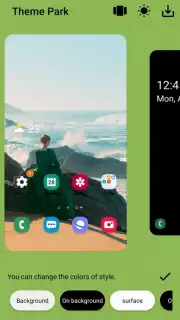
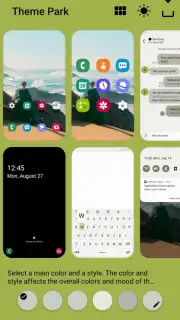
Samsung Theme Park addresses this by functioning as a dedicated theme construction suite for compatible Samsung Galaxy devices. The application provides a centralized workshop for generating, editing, and applying complete visual packages. Its core mechanic involves the synchronized modification of multiple interface layers, allowing for cohesive theme development. Users manipulate parameters across several asset categories, with changes reflected in a unified preview to ensure visual harmony before final application.
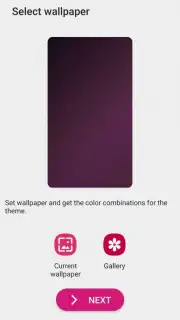
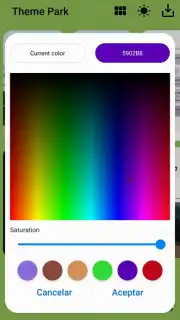
The toolset is segmented into specific modules for different interface components. The wallpaper module supports both static images and dynamic content, applying them to the home and lock screens independently or in tandem. The icon customization engine allows for the application of unified icon packs to system and supported third-party applications, altering their shape, color, and stylistic details. A dedicated color palette editor controls the accent colors used system-wide in menus, buttons, and notifications. Furthermore, the application includes options for modifying the system font style and adjusting the visual effects on the lock screen.
Operational Workflow and Real-Time Editing
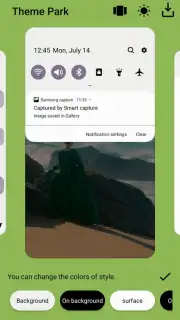
The operational workflow is built around a live-preview canvas, a critical feature for efficient theme design. This canvas displays a simulated device interface that updates dynamically as each customization parameter is adjusted. This real-time feedback loop eliminates the need for repetitive application and reversal of themes to judge results, streamlining the iterative design process. Users can observe the interplay between a chosen wallpaper, a selected icon set, and a new color scheme instantly, making precise adjustments to contrast and readability.
The application structures the creation process into distinct, manageable phases: asset selection, component customization, preview and refinement, and final export/application. It provides a library of base templates for users to modify, serving as a starting point for customization. Once a theme is finalized, it can be saved as a named profile within the application, allowing for quick switching between different visual setups—such as a dark mode-focused theme and a brighter, colorful alternative—without manually reconfiguring each setting.
- Complete Visual Overhaul Toolkit: Modify wallpapers, app icons, system colors, lock screen styles, and interface fonts from a single hub.
- Live Synchronized Preview Pane: See all customization changes rendered in real-time on a simulated device model before applying them.
- Template-Based and From-Scratch Creation: Start designing with pre-built theme templates or initiate a completely unique project from a blank slate.
- Non-Destructive Editing and Profiles: Save multiple complete theme configurations for instant switching without losing any custom work.
- Intuitive Layer-by-Layer Editor: Adjust individual interface components independently while maintaining a view of the unified final design.
Download the Samsung Theme Park mobile app now—exclusive access for first users to the complete theme-building suite is a limited-time offering. Secure full customization control today only.
Disclaimer: This application requires an internet connection for initial download and access to certain online template libraries. It is designed solely for compatible Samsung Android devices and may not function on other manufacturers' hardware or operating systems. Some advanced asset packs or features may involve in-app purchases. The app may request permissions to modify system display settings and access local storage for user-provided images. Use of this tool to modify system software is done at the user's own risk. Please ensure your device meets the required system specifications before installation.
Information
| Version | 1.1.02.2 |
| Developer | Samsung Corporation |
| Requirements | Android Android 14+ |
| Updated | 02.09.2026 |
| Size | 40.60 MB |
| Package | com.samsung.android.themedesigner |
| Signature | 9C:A5:17:0F:38:19:19:DF:E0:44:6F:CD:AB:18:B1:9A:14:3B:31:63 |
| Architecture | arm64-v8a |


