


SAP BI screenshots (8)
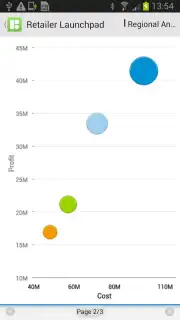
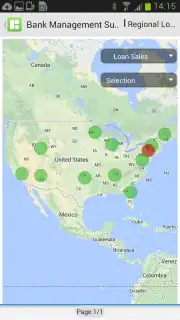
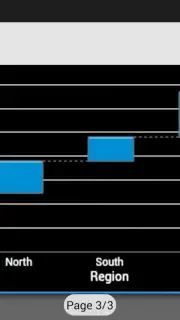
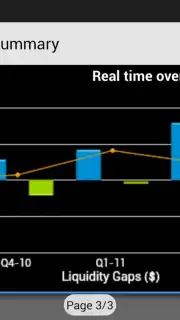
Description SAP BI
Struggling to Access Critical Business Insights on the Go?
In today's fast-paced business environment, waiting for a desktop report to make a data-driven decision is a luxury few can afford. The gap between needing an answer and having the analytical tools to find it can stall operations and obscure opportunities. This is where a dedicated mobile business intelligence solution becomes essential, transforming raw data into actionable insight from anywhere.
Deep Dive: SAP BI Mobile App Analysis
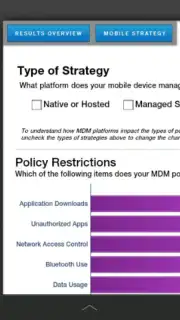
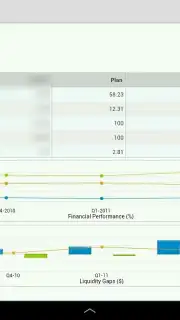
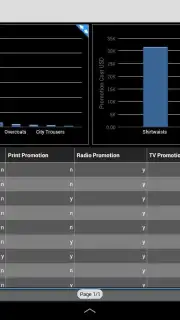
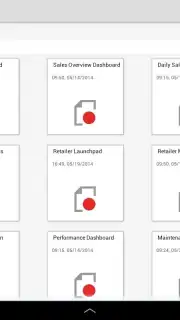
The SAP BI app for Android serves as a direct, secure conduit to your organization's SAP BusinessObjects BI platform. It is engineered not as a simplified viewer, but as a dynamic extension of the enterprise analytics suite, designed for the professional who requires depth and interactivity. The core function is seamless synchronization, ensuring that the dashboards, reports, and key performance indicators you rely on are rendered accurately and updated in near real-time on your mobile device. This includes detailed customer analytics, product performance matrices, sales funnel visualizations, and granular process metrics.
Where the application distinguishes itself is in its handling of advanced analytics and data exploration. It fully supports interactive features from SAP BusinessObjects Dashboards and Web Intelligence documents. On a tablet or smartphone, you can perform deep-dive analysis through intuitive touch gestures: drilling down from a regional sales summary into individual transaction details, navigating complex data hierarchies to understand contributing factors, and manipulating input controls to run new scenarios instantly. The visualizations are not static images; they are exploratory tools that reveal trends and outliers directly on your device.
A significant operational advantage is its designed flexibility for connectivity. The app supports both online and offline modes. You can download crucial reports and dashboards to your device, enabling full analytical functionality without an active network connection—ideal for travel or areas with poor reception. Once back online, data syncs automatically. Collaboration is integrated; you can securely share analysis, annotate findings, and initiate discussions with colleagues directly within the context of the data, maintaining workflow continuity without switching between applications.
Security and performance are foundational. The app employs enterprise-grade protection, including secure document storage on the device and support for two-factor authentication, ensuring that sensitive business intelligence remains confidential. The experience is streamlined and devoid of advertisements, focusing computational resources solely on rendering complex analytics quickly and reliably.
- Live Interactive Dashboards & Reports
- Advanced Drill-Down & Data Exploration
- Secure Offline Access Mode
- Direct Platform Synchronization
Download the SAP BI mobile app now. This is your exclusive access point to enterprise-grade analytics in your pocket. For professionals acting on today's data, this tool is indispensable. Limited offer for new platform users includes sample data to evaluate its full potential—explore it today.
Heads up: you'll need an active SAP BusinessObjects BI platform with mobile services enabled, typically set up by your IT department. A Wi-Fi connection is recommended for initial setup and downloading large reports. Some advanced platform features may require additional configuration.
Information
| Version | 6.3.26 |
| Developer | SAP SE |
| Requirements | Android Android + 9+ |
| Updated | 17.03.2026 |
| Size | 34.51 MB |
| Package | com.sap.mobi |
| Signature | ffac95642d24838200713a57fc3fadf0 |
| Architecture | armeabi-v7a, x86, arm64-v8a, x86_64 |


