

Schedule Planner Classic screenshots (10)
Description Schedule Planner Classic
Never Miss a Beat with Your Day Again
Imagine starting your morning with complete clarity, knowing exactly what needs to be done and when. That’s the daily reality Schedule Planner Classic delivers. This isn't just another to-do list app; it's a comprehensive time management system designed for those who take their productivity seriously. It transforms the chaos of daily tasks into a structured, visual, and actionable plan, helping you move from reactive to proactive in how you manage your work, health, and personal life. With its powerful analytical tools and deep customization, you gain not just control, but insightful feedback on how you spend your most valuable resource: time.
Engineered for Precision and Insight
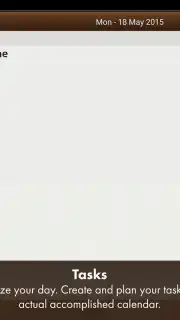
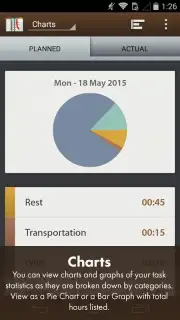
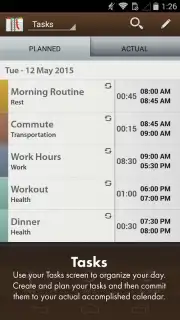
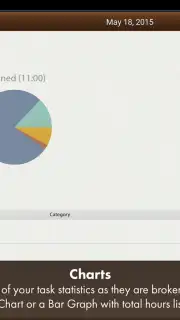
Schedule Planner Classic operates on a foundation of detailed planning and performance tracking. The core PLANNED vs ACTUAL function is a game-changer, allowing you to schedule tasks and then mark them as completed, creating a clear, visual record of your day's progress versus your intentions. This data feeds directly into the comprehensive Statistics Screen, where your activity is broken down into easy-to-read pie charts and bar graphs. You can instantly see how much time you’re dedicating to different categories, providing factual insight into your habits and productivity patterns.
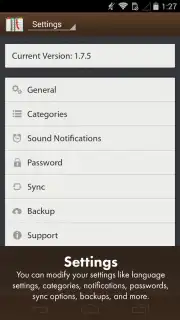
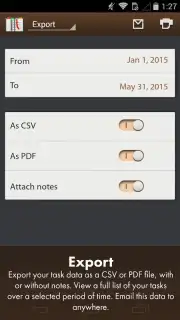
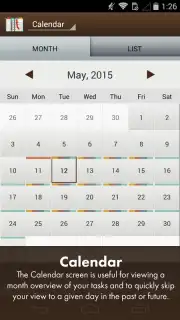
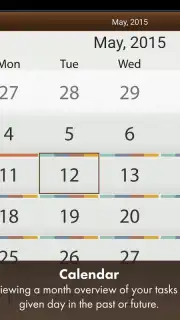
Organization is handled through a robust color-coded category system. You can assign tasks to predefined categories like Food, Health, and Work, or create your own fully custom categories. This color-coding extends across the entire app, including the dual-view Calendar Display, which shows your schedule in both a traditional graphical month view and a streamlined list format for long-term planning. For data portability and security, the app provides full export capabilities to CSV and PDF formats, including all your detailed notes. Your schedule is safeguarded with cloud backup for easy recovery and seamless transfer between devices, and it integrates directly with Google Calendar for unified scheduling across all platforms.
- Planned vs. Actual Tracking
- Visual Statistics & Analytics
- Custom Color-Coded Categories
- Dual-View Calendar Display
- CSV/PDF Export & Cloud Backup
- Google Calendar Integration
Stop planning in the dark and start executing with precision. Download Schedule Planner Classic now and transform your potential into measurable daily achievement.
Download Schedule Planner Classic now and claim your organizational advantage!
*Disclaimer: Schedule Planner Classic requires an internet connection for cloud backup, sync, and integration services. The app may offer in-app purchases for premium features. This product is intended for users aged 4 and over. Data collection practices may apply; please review the developer's privacy policy for details on data usage and storage.
Information
| Version | 1.7.6 |
| Developer | Digi117 Ltd |
| Requirements | Android Android + 2.0+ |
| Updated | 17.03.2026 |
| Size | 12.02 MB |
| Package | com.intersog.android.schedule |
| Signature | 1eaff6cfc0d03f096e3896ba551dffe4 |


