


Screen Time Remote Control screenshots (4)
Description Screen Time Remote Control
Take Back Control of Your Time and Focus
Tired of feeling like your phone controls you? Screen Time Remote Control transforms your device from a distraction hub into a tool for intentional living. This powerful app gives you the remote control for your digital life, allowing you to manage, monitor, and limit screen time across devices from a single, intuitive dashboard. Reclaim your productivity, improve your sleep, and foster healthier digital habits for yourself and your family with precise, customizable oversight.
Master Your Digital Environment with Precision Tools
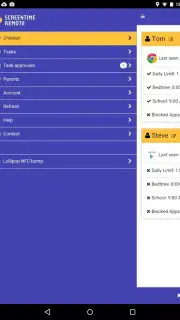
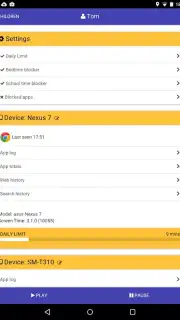
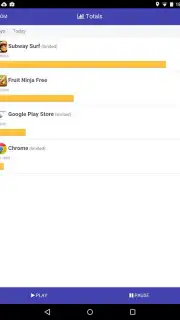
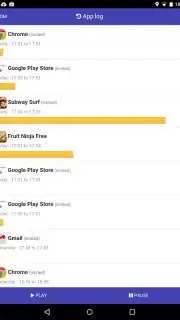
Screen Time Remote Control provides a comprehensive suite of management features designed for real-world use. Set granular daily limits for specific apps or entire categories, like social media or games, with schedules that adapt to your routine—stricter on weekdays, more relaxed on weekends. The real-time monitoring dashboard gives you an instant, visual breakdown of your usage, showing exactly where your time goes each day. For family management, create individualized profiles for children with age-appropriate restrictions and receive detailed activity reports to guide conversations about digital wellness.
Beyond simple timers, the app employs smart blocking techniques. Activate a focused work session to temporarily pause non-essential notifications and apps, or set up a wind-down routine before bed that automatically dims the screen and activates a "Do Not Disturb" mode. The remote control functionality lets you pause or extend screen time on a managed device directly from your phone, offering flexibility when needed. All data is presented in clear charts and graphs, turning abstract usage into actionable insights you can use to set and achieve personal goals for a more balanced life.
Key Advantages of Your Personal Digital Coach
- Centralized Remote Management: Control screen time settings and view reports for multiple devices from one primary smartphone.
- Granular App & Category Scheduling: Set unique daily limits and allowed time windows for individual apps or groups like Entertainment.
- Real-Time Usage Dashboard: Monitor current and historical screen time with intuitive, color-coded charts and breakdowns.
- Flexible Focus & Wind-Down Modes: Activate one-touch sessions to block distractions for work or prepare your mind for restful sleep.
- Customizable Family Profiles: Establish separate, secure profiles for children with tailored limits and review their activity summaries.
Don't just wish for more focus—command it. Download Screen Time Remote Control now and become the director of your attention. Install immediately to start your first focused session and feel the difference today!
Download mobile app now!
Requires an internet connection for initial setup, syncing across devices, and some remote features. The app may offer optional premium subscriptions for advanced features. Parental guidance is recommended for managing children's profiles. Data usage depends on sync frequency and report generation. Compatible with Android 7.0 and above.
Information
| Version | 3.11.71 |
| Developer | Screen Time Labs |
| Requirements | Android Android + 7.0+ |
| Updated | 17.03.2026 |
| Size | 11.51 MB |
| Package | com.screentime.rc |
| Signature | fca09b7b6f92ffbf8e4cff8fc068ed44 |
| Architecture | universal |


