


Screen Translate screenshots (3)
Description Screen Translate
Struggling with Foreign Text on Your Screen?
Whether you're navigating an international website, playing a game with untranslated menus, or trying to understand a social media post, language barriers directly on your device screen can halt productivity and entertainment. Screen Translate is a utility application designed to intercept and translate on-screen text in real time across a vast array of scenarios, removing the need for manual copying and pasting between separate apps.
Core Functionality and Technical Operation
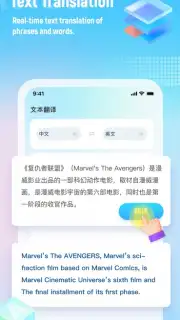
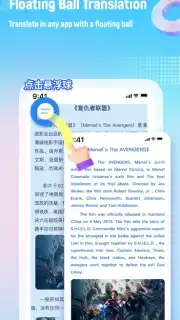
The application operates by utilizing Accessibility Services to capture text content from any active window or displayed image on your device. This captured text is then processed through a translation engine of your choice. The primary modes include screen translation, which overlays translated text directly onto the source application; photo translation, which extracts text from static images in your gallery or via the camera; and web page translation, which processes the text content of a browser view. For multimedia consumption, it offers dedicated subtitle translation for video content and a manga mode that optimizes text placement for comic book formats. A real-time chat translation feature facilitates communication by translating both text and voice inputs within supported messaging platforms.
Key Feature Breakdown
- Real-Time Screen Overlay Translation: Capture any on-screen text with a single tap to receive an instant translation overlay without leaving the current app.
- Comprehensive Photo & Image Translator: Extract text from photographs, screenshots, or documents using integrated OCR and translate it within the same interface.
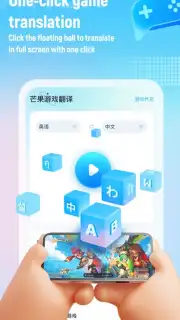
- In-Game Text Translation: Translates user interface elements, menus, and dialogue within mobile games to allow for unobstructed gameplay in any language.
- Live Chat & Voice Translation: Supports multi-person, multilingual chat translation with real-time text and voice conversion for seamless cross-language communication.
- Video Subtitle & Manga Reader Modes: Specifically tailored modes to translate hard-coded video subtitles and comic book text bubbles while preserving the original layout.
Supported Technologies and Languages
The app provides multiple backend options for both text recognition and translation, allowing users to select based on preference or regional accuracy. For Optical Character Recognition (OCR), it supports engines from Google, Baidu, Youdao, and Mango. Translation is powered by a selection of major services including Google Translate, DeepL Translate, Microsoft Translator, Yandex Translate, Naver Papago, Baidu Translate, and Youdao Translate, and includes an offline translation mode for core languages.
Language support exceeds 100 languages, covering global major languages and numerous regional dialects. The supported list includes, but is not limited to: Spanish, French, Arabic, Russian, Portuguese, Japanese, Korean, German, Italian, Dutch, Swedish, Turkish, Polish, Hindi, Bengali, Urdu, Vietnamese, Thai, and Chinese (both Simplified and Traditional).
We suggest trying Screen Translate to instantly dissolve language barriers across all your mobile activities. Consider downloading it for a unified translation tool that works directly over your existing apps and content.
Download the Screen Translate mobile app now to unlock your device's full global potential.
Heads up: you'll need wifi for most features utilizing online translation engines. Some advanced translation modes and the use of premium third-party translation APIs may require a separate subscription or in-app purchase. The app requires Accessibility Service permissions to function for screen capture.
Information
| Version | 3.3.1 |
| Developer | Yurao Network |
| Requirements | Android Android + 12L+ |
| Updated | 17.03.2026 |
| Size | 74.59 MB |
| Package | com.screen.translate.google |
| Signature | 02fb8574d55a27f608c7895cbe8949bd |
| Architecture | arm64-v8a |


