

Secure Notes screenshots (17)




Description Secure Notes
A Practical Review of Secure Notes for Android
Managing sensitive information on a mobile device presents a clear challenge: how to keep personal notes, account details, and private lists both easily accessible and completely secure from unauthorized access. Many default note-taking apps lack robust encryption, leaving data vulnerable, while others compromise on storage flexibility or cross-device synchronization. Secure Notes by Innorriors addresses this core problem directly, positioning itself as a dedicated, security-first vault for text-based information on the Android platform.
Core Functionality and Security Analysis
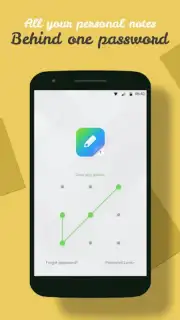
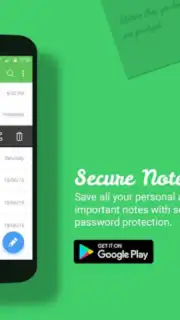
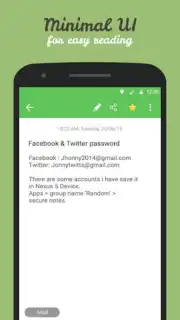
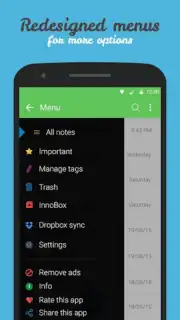
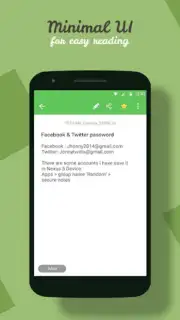
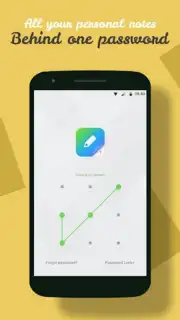
The application operates on the principle of local AES encryption. Every note or list created within the app is encrypted on the device itself before being saved. Access is controlled exclusively via a user-defined master password or a pattern lock, ensuring that even if the data storage is directly accessed, the contents remain protected. A significant operational feature is its default storage location on the device's SD card, a deliberate design choice that conserves internal phone memory and allows for larger volumes of notes without impacting system performance. The interface follows a minimalist, utilitarian design, reducing clutter and focusing the user on the tasks of creating, viewing, and managing encrypted entries.
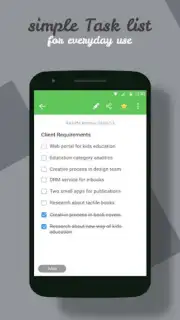
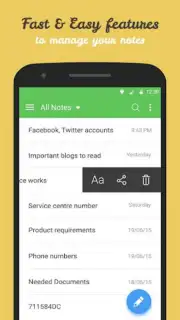
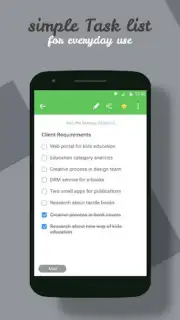
Beyond basic encryption, Secure Notes incorporates several layers of data management. It functions as a unified secure repository for various text formats, including private notes, draft emails, confidential messages, shopping lists, and account credentials. For task management, it includes a dynamic checklist feature within notes. Data organization is supported through sortable lists, allowing users to order entries alphabetically or by modification date. A critical recovery function is tied to a registered email address, providing a method to reset a forgotten master password without compromising the encryption of the stored data itself.
Extended Features and Ecosystem Integration
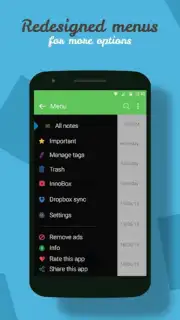
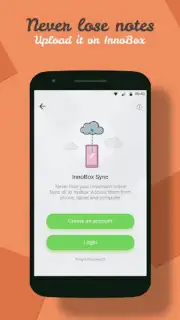
The app's functionality is expanded through its integration with Innorriors' proprietary cloud service, InnoBox. This optional synchronization feature serves two primary purposes: it creates an automated backup of the encrypted note database, and it enables seamless access to the same vault across multiple Android devices. It is important to understand that the core ".innorriorsnotes" folder on the local device remains the primary storage location; this folder contains the encrypted data files and should be excluded from any system cleaner apps to prevent accidental data loss. The cloud sync acts as a safety net for this local repository.
- AES-256 Encryption & Access Locks: Implements strong local encryption protected by a master password or unlock pattern.
- Flexible External Storage: Saves encrypted data directly to the SD card to preserve internal device memory.
- InnoBox Cloud Sync & Backup: Provides optional encrypted synchronization and backup across Android devices.
- Comprehensive Data Recovery: Allows password reset via registered email to maintain access to your vault.
- Minimalist Interface with Sorting: Features a clean, focused UI with alphabetical and date-based note organization.
For users seeking a straightforward, security-focused application for safeguarding text-based personal data on Android, Secure Notes presents a viable and specialized solution. Its combination of local encryption, storage flexibility, and optional cloud backup covers the essential requirements for private note management.
We suggest trying Secure Notes for structured, encrypted personal data management.
Disclaimer: This application requires an internet connection for the InnoBox cloud synchronization and password recovery services. It stores data primarily on your device's local/SD card storage. Users must safeguard their master password and registered email account, as these control access to encrypted data. Always ensure the ".innorriorsnotes" folder is protected from deletion. Check the app listing for specific age ratings and data privacy practices.
Information
| Version | 2.1.1 |
| Developer | Innorriors |
| Requirements | Android Android + 4.1, 4.1.1+ |
| Updated | 17.03.2026 |
| Size | 4.66 MB |
| Package | com.inno.securenote |
| Signature | 22a89d69a10a9533fea468473bc696d7 |
| Architecture | universal |


